Small businesses manage large amounts of information every day, including customer records, financial documents, employee files, contracts, and internal business documents. However, not all data carries the same level of risk. A public marketing brochure and a confidential customer record require very different levels of protection.
Data classification helps businesses organize information based on its sensitivity, value, and risk level. By identifying what type of data they have and how it should be handled, businesses can create clearer rules for access, storage, and sharing.
For small businesses, data classification does not need to be complicated. A simple framework can help teams understand which information is safe to share, which files require limited access, and which data needs stronger security controls.
Key Takeaways
- Data classification helps businesses organize information based on sensitivity and risk.
- Common classification levels include public, internal, confidential, and restricted data.
- A clear classification process helps businesses manage access, improve security decisions, and reduce data exposure risks.
- Managed IT services can help businesses create policies and processes for protecting important information.
What Is Data Classification?
Data classification is the process of organizing information into categories based on its sensitivity, importance, and level of risk.
Instead of treating every file the same, businesses can assign labels that show how information should be managed. For example, a published blog article may be considered public data, while employee records or customer payment information may require restricted access.
A data classification framework helps businesses answer important questions:
- What information does the business store?
- How sensitive is each type of data?
- Who should have access?
- What level of protection does the information require?
Adivi’s guide on data protection best practices explains why identifying important information is an important step in improving overall data security.
Why Data Classification Matters for Small Businesses
Many small businesses store information across different locations, including cloud platforms, email accounts, shared drives, business applications, and employee devices.
Without a classification system, businesses may struggle to identify which information needs stronger protection. This can increase the risk of accidental sharing, unauthorized access, or poor data management.
Data classification helps businesses:
- Identify sensitive information
- Create clearer access rules
- Reduce accidental data exposure
- Improve security planning
- Support better data management practices
When employees understand how information should be handled, they can make better decisions when creating, storing, and sharing files.
Common Data Classification Levels
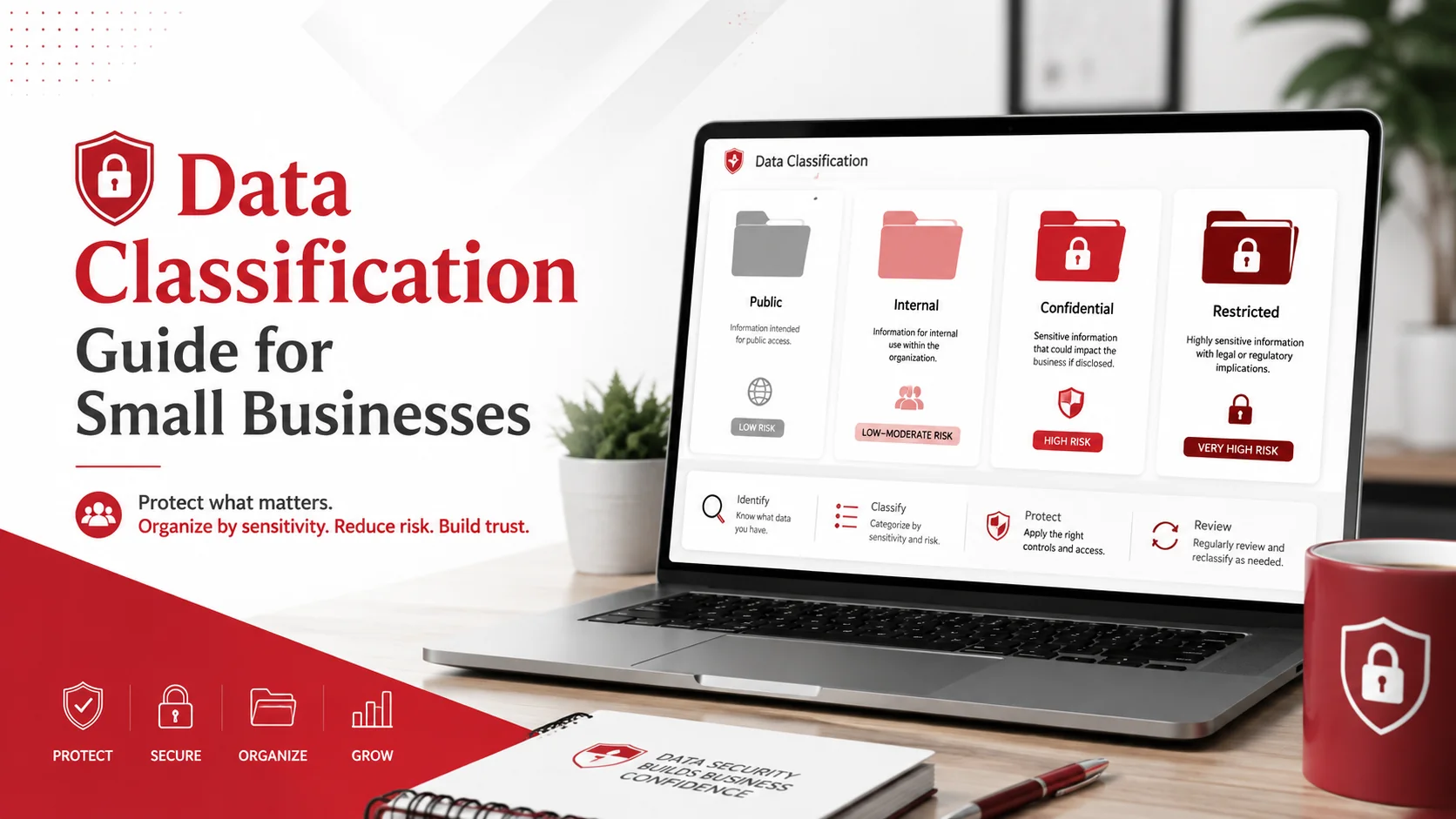
Most small businesses can use four simple classification categories to organize their information.
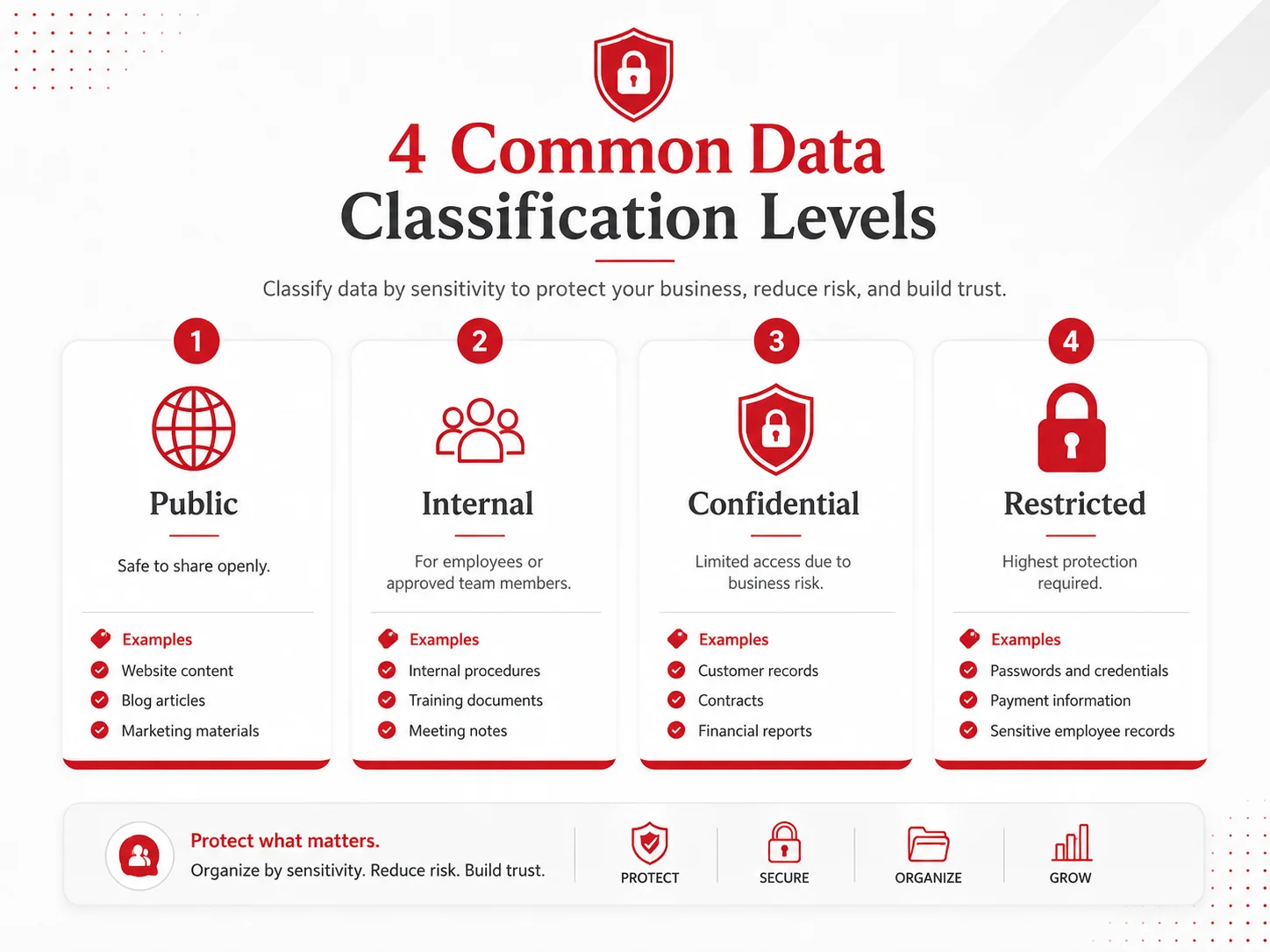
Public Data
Public data is information that can be shared openly without creating significant risk to the business.
Examples include:
- Website content
- Blog articles
- Marketing materials
- Public announcements
- Job advertisements
Although public data does not require strict security controls, businesses should still review information before publishing to ensure it is accurate and approved.
Internal Data
Internal data is information intended for employees or approved members of the organization. It is not meant for public access but usually does not create severe risks if exposed.
Examples include:
- Internal procedures
- Training documents
- Meeting notes
- Company templates
- Team updates
Businesses should store internal information in approved systems and avoid using personal accounts for company documents.
Confidential Data
Confidential data is information that could cause financial, legal, or reputational damage if accessed by unauthorized users.
Examples include:
- Customer records
- Contracts
- Vendor agreements
- Financial reports
- Pricing information
- Employee records
Confidential data should only be available to employees who need it for their responsibilities.
Restricted Data
Restricted data is the most sensitive type of business information. It requires the highest level of protection and the strictest access controls.
Examples include:
- Passwords and credentials
- Payment information
- Sensitive employee records
- Legal documents
- Security information
- Regulated information
Access to restricted data should be limited, reviewed regularly, and managed carefully.
How to Classify Business Data
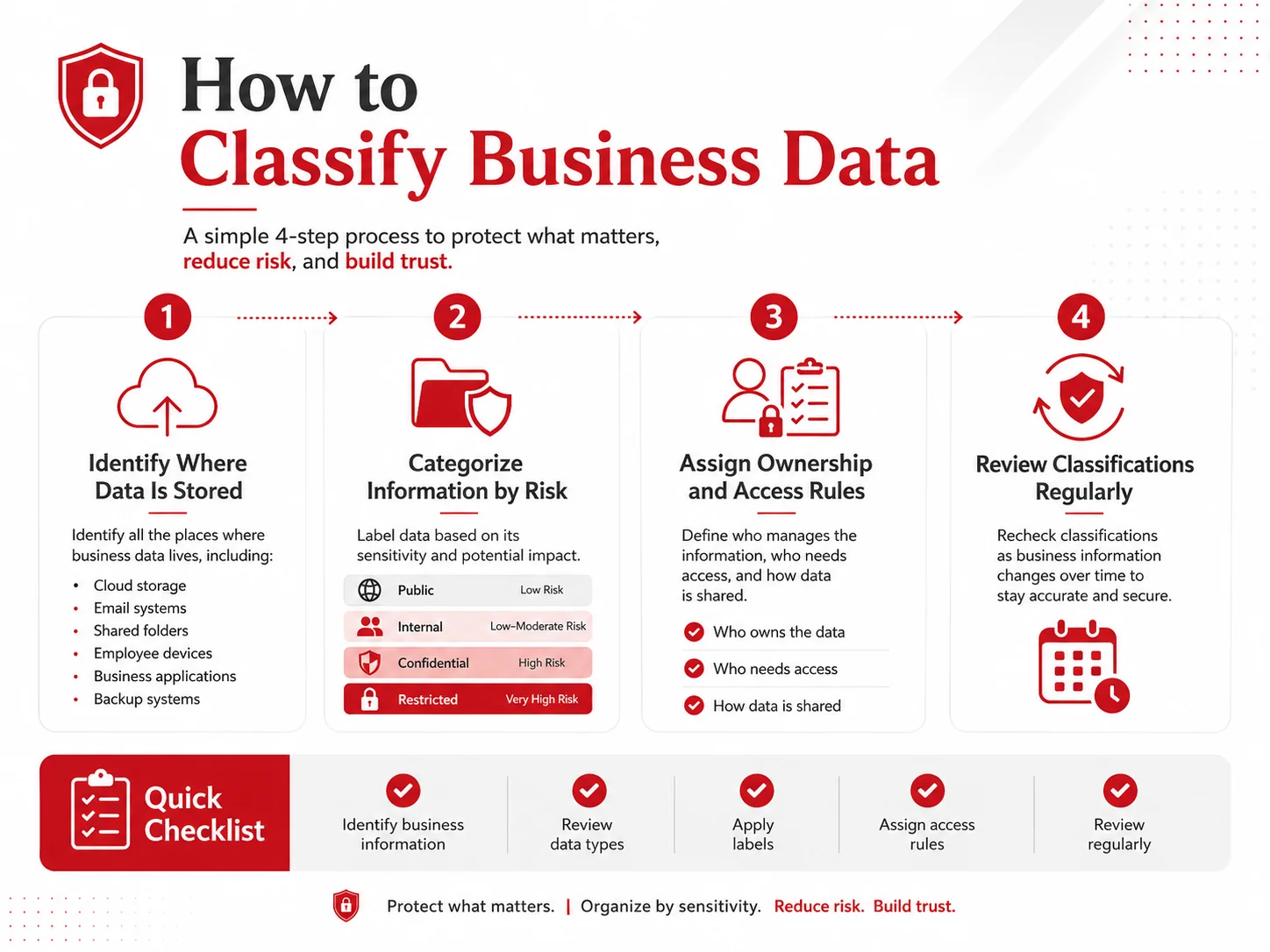
A simple data classification process can help businesses organize information without creating unnecessary complexity.
1. Identify Where Business Data Is Stored
The first step is understanding where information exists.
Businesses should review:
- Cloud storage platforms
- Email systems
- Shared folders
- Employee devices
- Business applications
- Backup systems
Knowing where data is stored makes it easier to identify what needs protection.
2. Categorize Information Based on Risk
Review each type of information and assign it to the appropriate category:
- Public
- Internal
- Confidential
- Restricted
Consider what could happen if the information was exposed, changed, or deleted. The greater the potential impact, the higher the classification level should be.
3. Assign Ownership and Access Rules
Each type of data should have clear ownership and access requirements.
Businesses should define:
- Who is responsible for managing the information
- Which employees need access
- How information should be shared
- When access should be reviewed
This helps prevent unnecessary access to sensitive files.
4. Review Classifications Regularly
Business information changes over time. A document that starts as internal information may later become confidential, or information that was once important may no longer be needed.
Regular reviews help ensure classifications remain accurate.
Creating a Data Classification Policy
A data classification policy gives employees clear guidance on how information should be handled.
A basic policy should include:
- Classification categories and definitions
- Rules for storing and sharing information
- Access requirements for sensitive data
- Employee responsibilities
- Review schedules for updating classifications
A clear policy helps employees make consistent decisions when managing business information.
Data Classification Checklist
Use these steps to create a simple classification process:
- Identify where business information is stored.
- Review the types of data your business collects and manages.
- Label information as public, internal, confidential, or restricted.
- Assign appropriate access rules for each category.
- Review classifications regularly as business needs change.
Examples of Data Classification by Industry
Different industries manage different types of sensitive information.
Healthcare
Healthcare businesses may classify:
- Patient records as restricted data
- Insurance documents as confidential data
- General health information resources as public data
Accounting and Financial Services
Accounting firms may classify:
- Tax documents as restricted data
- Client contracts as confidential data
- General business resources as public data
Professional Services
Professional service businesses may classify:
- Client files as confidential data
- Internal processes as internal data
- Marketing materials as public data
These examples show why businesses need a clear approach to identifying and organizing information.
How Data Classification Supports Cybersecurity
Data classification creates a foundation for stronger cybersecurity practices by helping businesses understand which information requires additional protection.
Once data has been classified, businesses can make better decisions about:
- Access permissions
- Encryption requirements
- Secure file sharing
- Backup priorities
- Data loss prevention strategies
For example, confidential and restricted information may require stronger controls than public or internal documents.
Adivi’s resources on secure file sharing and data loss prevention explain how businesses can apply additional protection measures for sensitive information.
Common Data Classification Mistakes
Many businesses struggle with data management because they do not have clear classification rules.
Common mistakes include:
- Treating all information as equally sensitive
- Giving unnecessary access to confidential files
- Storing business information in personal accounts
- Failing to update classifications as information changes
- Creating too many categories that employees cannot easily follow
A simple and consistent classification system is usually more effective than a complicated framework that employees do not use.
How Managed IT Services Can Support Data Classification
Creating and maintaining a data classification process can be challenging for small businesses without dedicated IT resources.
A managed IT provider can help businesses:
- Identify sensitive information
- Create data classification policies
- Review access permissions
- Improve security processes
- Support compliance requirements
- Recommend appropriate cybersecurity tools
Managed IT services can also help businesses connect data classification with broader security strategies, including cybersecurity services and solutions, cloud security, and data protection practices.
Final Thoughts
Data classification helps small businesses understand what information they have and how it should be managed.
By organizing data into public, internal, confidential, and restricted categories, businesses can create clearer access rules, reduce unnecessary exposure, and make better cybersecurity decisions.
The process does not need to be complicated. Start by identifying important information, applying simple classifications, assigning access rules, and reviewing data regularly. A clear classification framework provides a stronger foundation for protecting business information.
FAQs About Data Classification
What is data classification?
Data classification is the process of organizing information based on its sensitivity, value, and risk level. It helps businesses determine how data should be accessed, stored, and protected.
Why is data classification important for small businesses?
Data classification helps small businesses identify sensitive information, reduce accidental exposure, improve access management, and apply the right level of protection.
What are the common data classification levels?
The most common data classification levels are public, internal, confidential, and restricted. Each category has different requirements for handling and access.
What type of data should be restricted?
Restricted data may include passwords, payment information, sensitive employee records, legal documents, security information, and regulated data.
How can managed IT services help with data classification?
Managed IT services can help businesses identify sensitive information, create classification policies, manage access controls, and support security processes that protect business data.