Managed IT services are ongoing technology support services provided by an outside IT company. Instead of waiting for something to break, a managed IT provider helps monitor, maintain, secure, and support your business technology on a regular basis.
For small businesses, managed IT services can help reduce downtime, improve cybersecurity, support employees faster, and make IT costs more predictable.
Key Takeaways
- Managed IT services provide ongoing outsourced IT support.
- They help businesses monitor, maintain, secure, and support their technology.
- Common services include help desk support, cybersecurity, cloud support, patching, backups, and IT planning.
- Managed IT services are more proactive than break-fix IT.
- Small businesses use managed IT services to reduce downtime, improve security, and access IT expertise without hiring a full internal team.
- Managed IT services can be worth it when technology is essential to daily business operations.
What Are Managed IT Services?
Managed IT services are outsourced IT support services that help businesses manage their technology. This can include computers, networks, servers, cloud systems, cybersecurity, backups, software updates, and help desk support.
Most managed IT services are provided for a monthly fee. The goal is to prevent problems before they disrupt the business, instead of only fixing issues after they happen.
| Managed IT Service | What It Means |
| Monitoring | Watching systems for issues before they become major problems |
| Maintenance | Keeping devices, software, and networks updated |
| Support | Helping employees resolve IT issues |
| Security | Protecting systems from cyber threats |
| Planning | Helping the business make better technology decisions |
In simple terms, managed IT services give small businesses access to professional IT support without needing to build a full internal IT department.
How Managed IT Services Work
Managed IT services usually begin with a review of your current technology environment. The provider looks at your systems, devices, software, network, security, backup setup, and support needs.
A typical process may look like this:
- The provider reviews your current IT environment.
- They identify risks, gaps, and support needs.
- Monitoring and management tools are set up.
- Employees receive support when issues happen.
- Systems are maintained, patched, and secured.
- The provider gives ongoing recommendations as the business grows.
The exact service can vary by provider, but the main idea is the same: your technology is managed proactively instead of being ignored until something fails.
What Do Managed IT Services Include?
Managed IT services can cover many parts of a business’s technology environment. The right services depend on your company’s size, systems, and goals.
Common managed IT services include:
- Help desk support
- Network monitoring
- Server management
- Computer and device support
- Software updates and patching
- Cybersecurity support
- Cloud services support
- Backup and disaster recovery
- Email and Microsoft 365 support
- Hardware and software planning
- IT consulting and strategy
For example, if an employee cannot access email, the help desk can assist. If a server needs updates, the provider can manage patching. If a business is moving to cloud systems, the provider can help plan and support the transition.
Managed IT services are not just about fixing computers. They are about keeping the full IT environment stable, secure, and aligned with business needs.
Managed IT Services vs Break-Fix IT
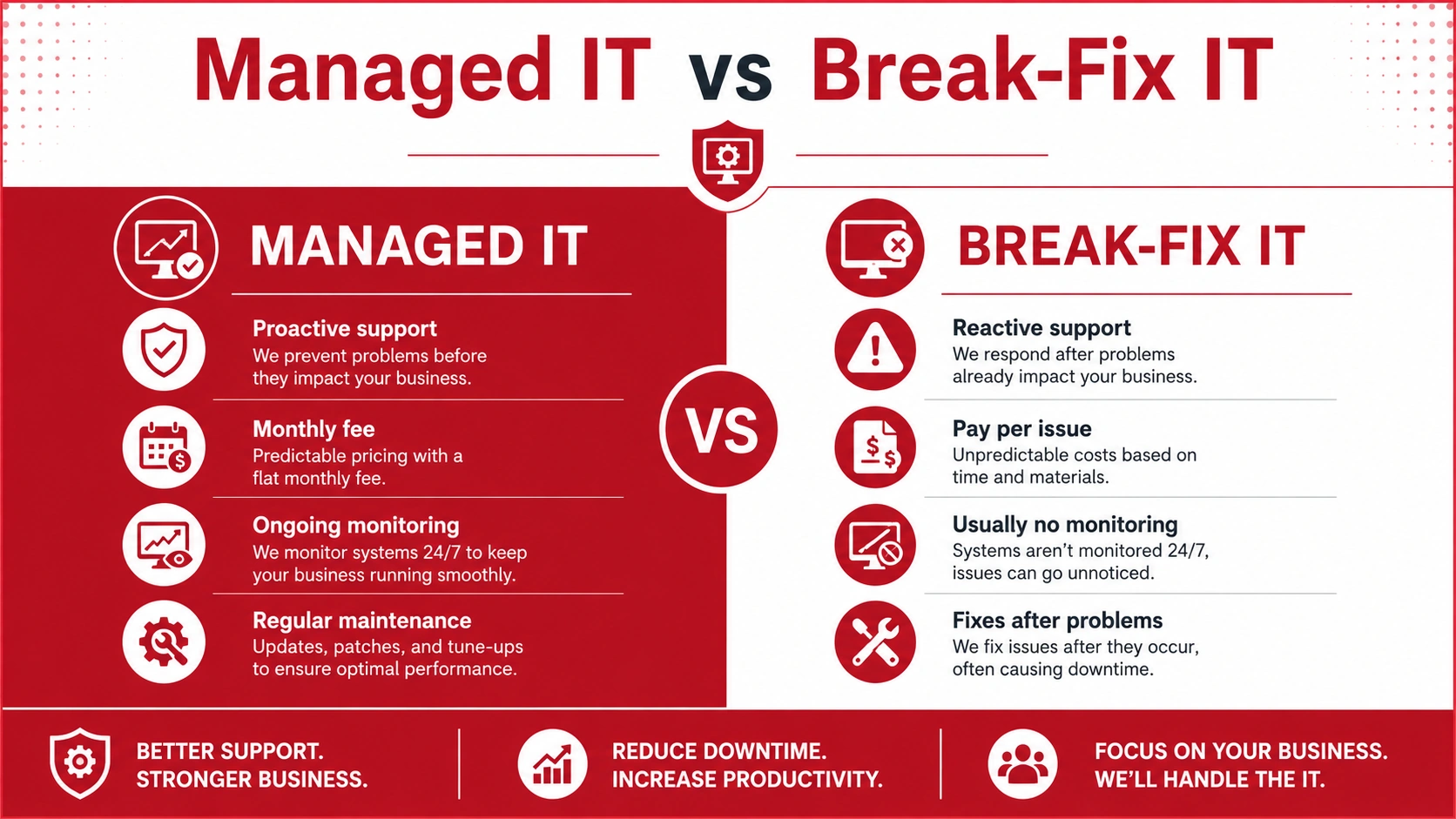
Break-fix IT is a reactive support model. A business calls an IT provider only after something stops working. The provider fixes the issue, bills for the work, and usually does not provide ongoing monitoring or maintenance.
Managed IT services are different because they are proactive. The provider monitors systems, performs maintenance, supports employees, and helps prevent issues before they cause downtime.
| Category | Break-Fix IT | Managed IT Services |
| Support style | Reactive | Proactive |
| Cost | Pay per issue | Monthly fee |
| Monitoring | Usually none | Ongoing |
| Maintenance | After problems happen | Regularly scheduled |
| Best for | Very small/simple setups | Growing businesses |
Break-fix IT may work for very small businesses with simple needs. However, as a business grows, this approach can become risky. Downtime, emergency repair costs, security issues, and lost productivity can become more expensive than ongoing support.
Benefits of Managed IT Services for Small Businesses
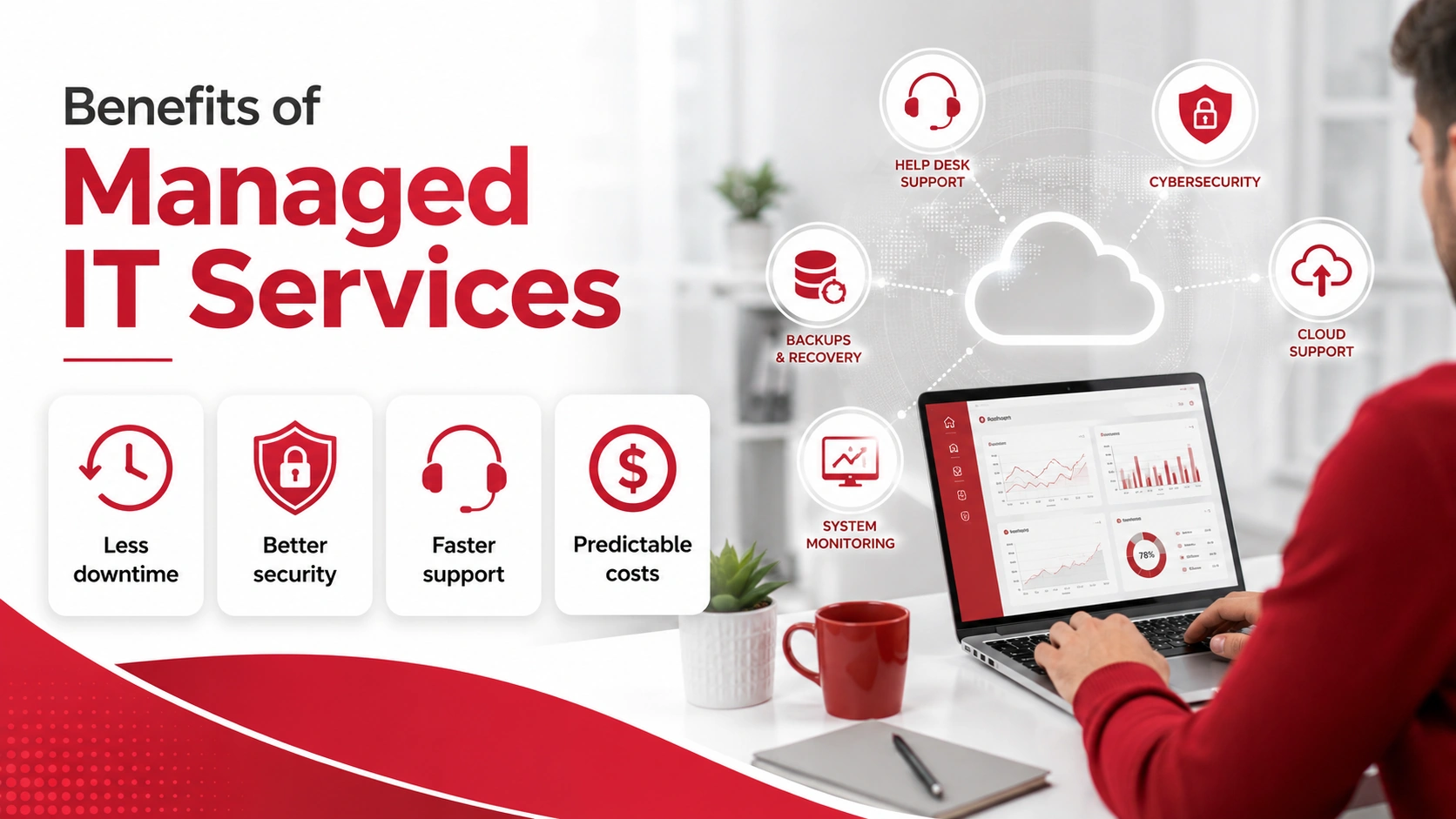
Managed IT services can give small businesses more reliable support and better control over their technology.
Key benefits include:
- Predictable IT costs
- Less downtime
- Faster support
- Better cybersecurity
- Regular maintenance
- Access to IT expertise
- Better cloud support
- Stronger backup and recovery planning
- More time for staff to focus on business operations
- Scalable support as the business grows
One of the biggest advantages is prevention. Instead of waiting for a major outage, managed IT providers look for warning signs, apply updates, monitor systems, and help reduce the chance of avoidable disruptions.
Managed IT services can also help small businesses make smarter technology decisions. This is useful when choosing new software, upgrading hardware, improving security, or planning for growth.
Why Small Businesses Use Managed IT Services
Many small businesses rely on technology every day but do not have a full internal IT team. Employees need working computers, stable internet, secure email, cloud access, and reliable business software.
When something goes wrong, productivity can slow down quickly.
Small businesses use managed IT services because:
- They may not have internal IT staff
- Technology issues can delay employees
- Cybersecurity threats are harder to manage alone
- Cloud tools and remote work need proper support
- Downtime can affect customers and revenue
- IT planning becomes more important as the business grows
Managed IT gives smaller teams access to professional support without the cost of hiring a complete IT department. It also helps business owners spend less time reacting to technical problems and more time focusing on operations.
How Much Do Managed IT Services Cost?
Managed IT services usually cost a monthly fee. The exact price depends on the number of users, devices, services, security needs, cloud systems, and support level required.
Common pricing models include:
- Per-user pricing
- Per-device pricing
- Flat monthly plans
- Custom service plans
A business with a few users and simple support needs will usually pay less than a business with multiple locations, servers, cloud platforms, compliance requirements, and advanced cybersecurity needs.
The cheapest plan is not always the best choice. A low-cost provider may offer limited support, slower response times, or fewer security services. It is better to look at what is included, how quickly support is available, and whether the provider can support your long-term business goals.
Managed IT services can also make budgeting easier. Instead of dealing with surprise emergency repair bills, businesses can plan around a more predictable monthly cost.
Who Needs Managed IT Services?
Managed IT services may be a good fit for businesses that rely on technology to operate.
Your business may need managed IT services if you:
- Rely on computers, email, cloud tools, or business software daily
- Do not have an internal IT team
- Need faster support for employees
- Handle sensitive data
- Want stronger cybersecurity
- Have remote or hybrid workers
- Need reliable backup and disaster recovery
- Are growing and need scalable IT support
If downtime, data loss, or slow support would affect your customers, staff, or revenue, managed IT services may be worth considering.
How to Choose a Managed IT Services Provider
Choosing the right managed IT provider is important. The provider should understand your business needs, respond quickly, and offer the right mix of support, security, and planning.
Look for a provider that offers:
- Clear service scope
- Fast support response
- Cybersecurity experience
- Cloud services support
- Backup and disaster recovery planning
- Transparent pricing
- Local or responsive support
- Strategic IT guidance
- Experience with small businesses
It is also helpful to ask what is included in the monthly plan, how support requests are handled, what security tools are used, and how often systems are reviewed.
A good managed IT provider should not only fix problems. They should help your business avoid problems and make better technology decisions.
Are Managed IT Services Worth It?
Managed IT services are worth it for many small businesses because they provide ongoing support, reduce downtime, improve security, and make IT costs more predictable.
If your business only has one or two devices and very basic needs, occasional IT support may be enough. But if your team depends on email, cloud systems, business software, customer data, or remote access, managed IT services can provide stronger long-term value.
The main benefit is peace of mind. Your systems are monitored, your employees have support, and your business has an IT partner helping keep technology stable as you grow.
Need Reliable Managed IT Support?
Adivi provides managed IT services that help businesses reduce downtime, strengthen cybersecurity, support cloud systems, and keep daily operations running smoothly.
If your business needs proactive IT support instead of reactive fixes, Adivi can help you build a more reliable technology foundation.
Schedule a free assessment with Adivi to find the right managed IT support for your business.
FAQs
What are managed IT services?
Managed IT services are ongoing IT support services provided by an outside company. They help businesses monitor, maintain, secure, and support their technology systems.
What is included in managed IT services?
Managed IT services can include help desk support, network monitoring, cybersecurity, cloud support, software updates, backup and disaster recovery, and IT strategy.
Are managed IT services worth it for small businesses?
Yes. Managed IT services can be worth it for small businesses that rely on technology, need fast support, want better cybersecurity, or do not have an internal IT team.
How are managed IT services different from break-fix IT?
Break-fix IT fixes problems after they happen. Managed IT services provide ongoing monitoring, maintenance, and support to help prevent problems before they disrupt the business.
How much do managed IT services cost?
Managed IT services usually cost a monthly fee based on the number of users, devices, services, and support level your business needs.
Who needs managed IT services?
Managed IT services are useful for businesses that rely on computers, cloud tools, email, sensitive data, remote work, or business software to operate.