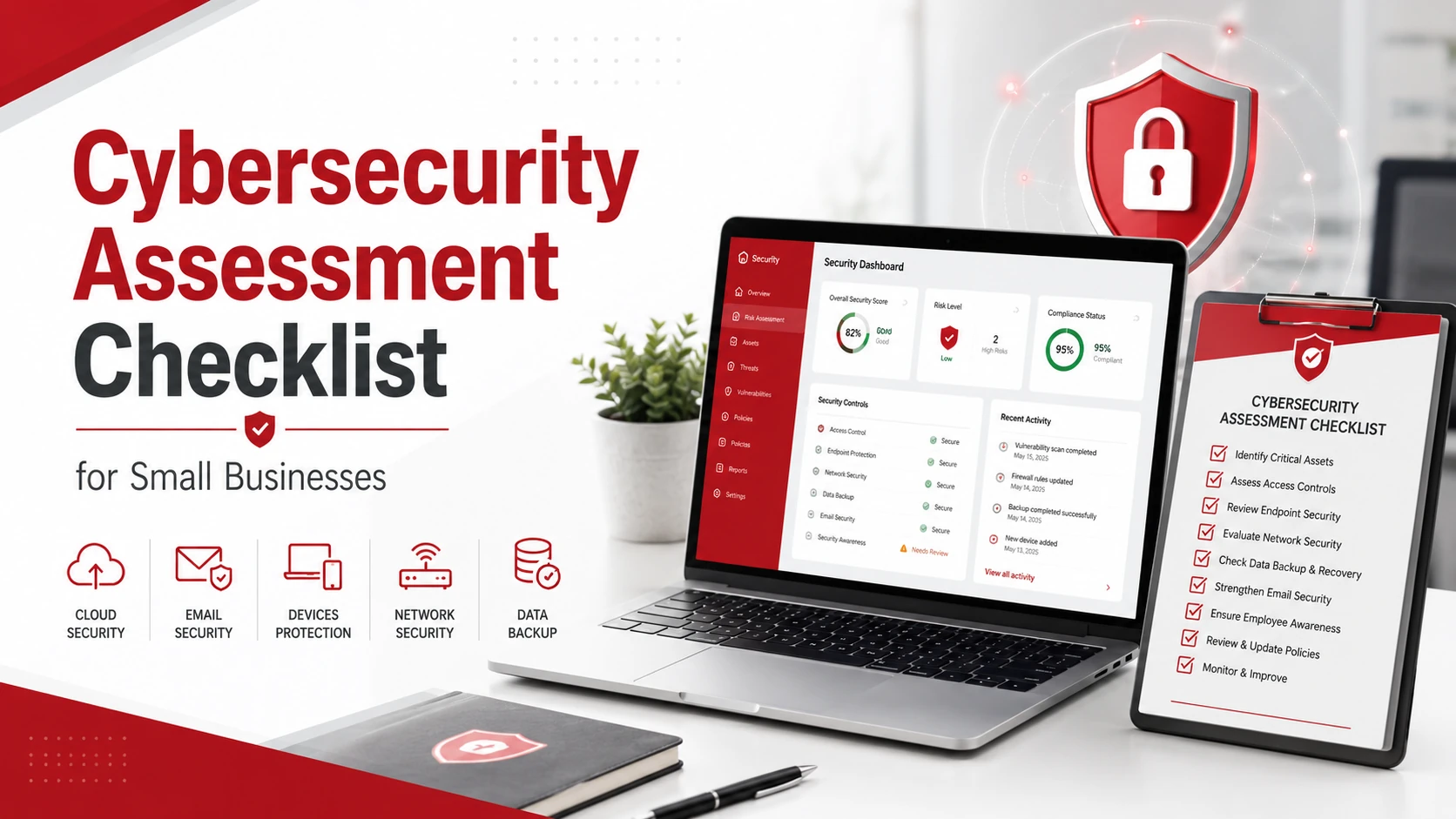
A cybersecurity assessment helps small businesses find security gaps before attackers can exploit them. It gives you a clear view of your devices, software, users, passwords, cloud systems, backups, and response process.
Use this cybersecurity assessment checklist to review your current security posture and prioritize what needs to be fixed first.
Key Takeaways
- A cybersecurity assessment helps small businesses find and prioritize security risks.
- The checklist should review devices, software, users, passwords, email, cloud systems, backups, vendors, and employee training.
- Multi-factor authentication, patching, endpoint protection, and backup testing are essential security controls.
- Small businesses should run a cybersecurity assessment at least once a year or after major IT changes.
- The goal is to create a clear action plan, not just a list of problems.
Quick Cybersecurity Assessment Checklist
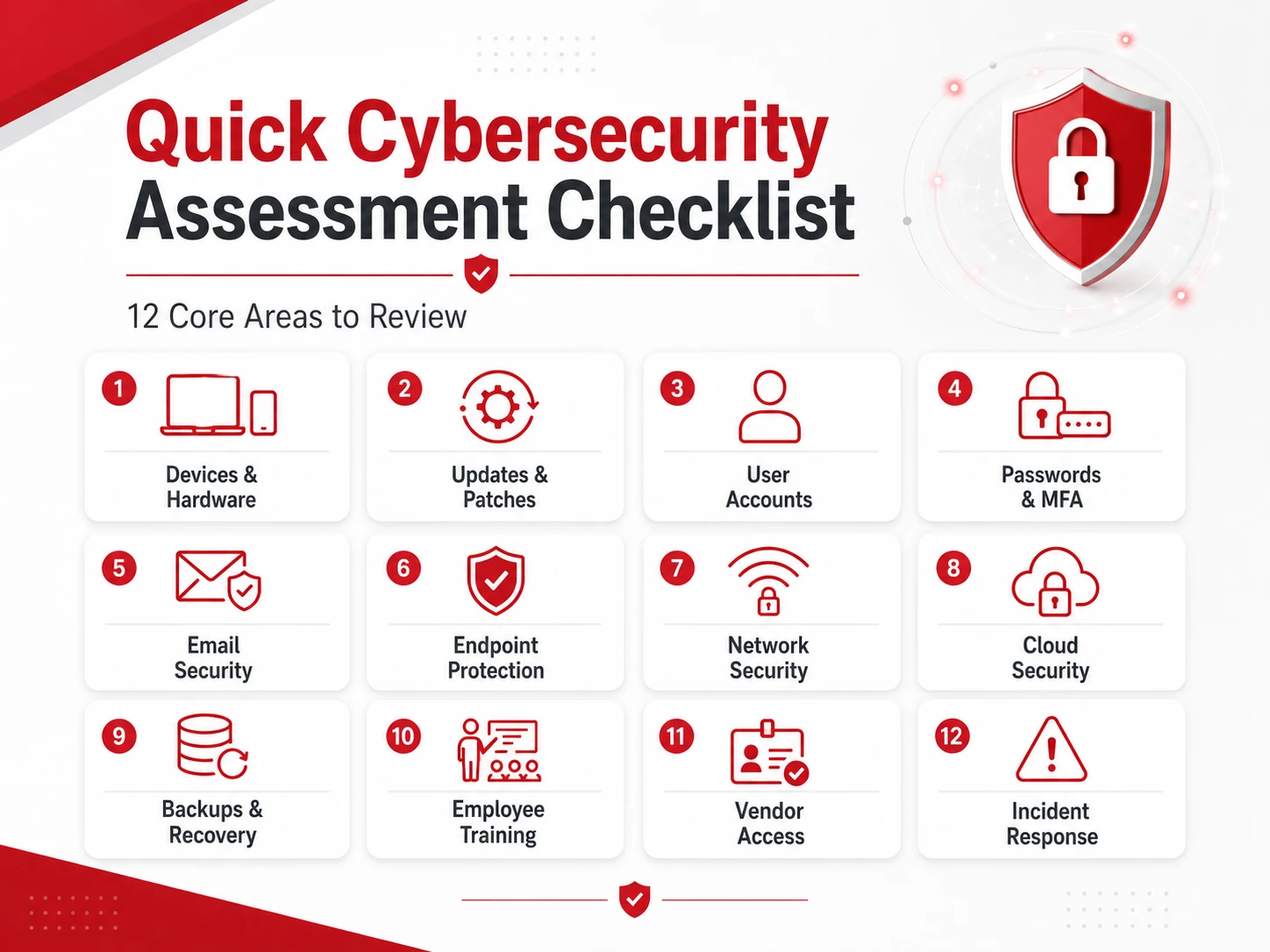
Start with these core areas:
- Review all business devices
- Check software updates and patches
- Audit user accounts and permissions
- Require strong passwords and multi-factor authentication
- Review email security settings
- Check antivirus and endpoint protection
- Assess firewall and network security
- Review cloud application security
- Check backup and disaster recovery processes
- Train employees on phishing and security risks
- Review vendor and third-party access
- Create or update an incident response plan
This checklist gives small businesses a practical starting point for identifying common cybersecurity risks and building a stronger protection plan.
What Is a Cybersecurity Assessment?
A cybersecurity assessment is a review of your company’s technology, systems, policies, and user practices. The goal is to identify weaknesses that could expose your business to cyberattacks, data loss, downtime, or unauthorized access.
A strong assessment can review:
- Computers and mobile devices
- Networks and firewalls
- Cloud applications
- Employee accounts
- Passwords and access controls
- Email security
- Backup systems
- Vendor access
- Incident response procedures
For small businesses without a full internal IT or security team, a cybersecurity assessment can turn unclear security concerns into a practical action plan. It can also help you decide whether your business needs professional cybersecurity services.
Why Small Businesses Need a Cybersecurity Assessment
Small businesses are often targeted because attackers expect weaker defenses, outdated systems, or limited security resources. Even one compromised account, unpatched device, or phishing email can create serious disruption.
A cybersecurity assessment helps small businesses:
- Find security gaps early
- Reduce the risk of cyberattacks
- Protect customer and business data
- Improve employee security habits
- Strengthen cloud and remote work security
- Prepare for audits, vendor reviews, or compliance needs
- Create a clearer plan for future IT improvements
Cybersecurity can feel overwhelming when you do not know where to start. A checklist makes the process easier by breaking the assessment into specific areas.
1. Review Devices and Hardware
Start by creating a list of every device connected to your business systems.
This may include:
- Business laptops and desktops
- Employee mobile devices
- Servers
- Printers and shared devices
- Routers and firewalls
- Network switches
- Unused or outdated devices
Every connected device can become a possible entry point if it is not secured, updated, or monitored. Remove devices that are no longer needed and make sure active devices are properly managed.
If your business has many devices or no clear inventory, managed IT services can help keep hardware organized, updated, and supported.
2. Check Software Updates and Patch Management
Outdated software is one of the easiest security gaps for attackers to exploit. Your assessment should check whether operating systems, applications, browsers, firmware, and security tools are up to date.
Review:
- Operating system updates
- Business application updates
- Browser updates
- Security patches
- Firewall and router firmware
- Unsupported or outdated software
If software is no longer supported, it may no longer receive security updates. Those systems should be upgraded, replaced, or isolated from critical business data.
3. Audit User Accounts and Permissions
Next, review who has access to your systems and whether they still need that access.
Check:
- Active employee accounts
- Former employee accounts
- Admin accounts
- Shared accounts
- Remote access permissions
- Cloud application users
- Financial or sensitive system access
Use the principle of least privilege. This means employees should only have access to the systems and data they need for their role.
Remove old accounts immediately, especially for former employees, vendors, or contractors. Unused accounts can become easy targets for attackers.
4. Review Passwords and Multi-Factor Authentication
Weak or reused passwords can put business systems at risk. Your cybersecurity assessment should review password policies and confirm that multi-factor authentication is enabled where possible.
Check for:
- Strong password requirements
- Password reuse across accounts
- Use of password managers
- Multi-factor authentication
- Admin account protection
- Remote login protection
- Cloud account security
Multi-factor authentication should be enabled on critical accounts, especially email, cloud platforms, financial systems, remote access tools, and administrator accounts.
5. Assess Email and Phishing Protection
Email remains one of the most common ways attackers reach small businesses. A phishing email can trick employees into clicking malicious links, opening infected attachments, or sharing login credentials.
Review:
- Spam filtering
- Suspicious attachment controls
- Phishing awareness
- Employee reporting process
- Email authentication settings
- Business email compromise risks
- External sender warnings
Employees should know how to report suspicious emails quickly. Your business should also have a clear process for reviewing and responding to possible phishing attempts.
6. Check Endpoint Protection
Endpoint protection helps secure laptops, desktops, servers, and other devices employees use every day.
Review whether your business has:
- Antivirus protection
- Endpoint detection tools
- Malware protection
- Device monitoring
- Laptop and desktop security
- Lost or stolen device protection
- Security alerts and reporting
Basic antivirus may be enough for very small businesses with simple needs, but companies that handle sensitive data may need stronger endpoint protection and monitoring.
7. Review Firewall and Network Security
Your network controls how devices connect to the internet, internal systems, and each other. Weak network security can make it easier for attackers to move through your environment.
Review:
- Firewall configuration
- Wi-Fi security
- Guest network separation
- VPN or secure remote access
- Open ports
- Router and firewall updates
- Network monitoring
Guest Wi-Fi should be separated from business systems. Remote access should be protected with strong authentication and limited to users who truly need it.
8. Assess Cloud Security
Many small businesses rely on cloud applications for email, file storage, accounting, communication, and daily operations. These tools need regular security reviews.
Check:
- Cloud user permissions
- MFA for cloud apps
- File-sharing settings
- Public file links
- Admin controls
- Cloud backup settings
- Suspicious login alerts
- Former employee access
Cloud systems are convenient, but misconfigured sharing or weak access controls can expose sensitive data. If your business depends heavily on cloud tools, review your broader cloud services setup as part of the assessment.
9. Review Backup and Disaster Recovery
Backups are essential if your business experiences ransomware, accidental deletion, hardware failure, or system outages.
Review:
- What data is backed up
- How often backups run
- Where backups are stored
- Whether backups are encrypted
- Whether backups are tested
- How quickly systems can be restored
- Who is responsible for recovery
Do not assume backups are working just because they are scheduled. Test them regularly to confirm that files and systems can actually be restored.
A strong backup and disaster recovery plan can help reduce downtime and protect operations after a cyber incident.
10. Review Employee Security Training
Employees are often the first line of defense. Even strong security tools can fail if employees do not know how to recognize common threats.
Training should cover:
- Phishing awareness
- Password habits
- Safe browsing
- Suspicious link reporting
- Data handling rules
- Remote work security
- Social engineering awareness
Cybersecurity training should not be a one-time task. Small businesses should provide regular reminders and simple guidance that employees can actually follow.
11. Check Vendor and Third-Party Access
Vendors and third-party tools can create security risks if access is not managed properly.
Review access for:
- Software vendors
- IT providers
- Contractors
- Payment processors
- Cloud platforms
- Shared accounts
- External admin users
Remove access when it is no longer needed. Vendor accounts should use strong passwords, multi-factor authentication, and limited permissions.
12. Create an Incident Response Plan
A cybersecurity assessment should also review what your business will do if something goes wrong.
Your incident response plan should include:
- Who to contact during a security incident
- How to isolate affected systems
- How to communicate internally
- How to notify customers or vendors if needed
- How to restore from backups
- How to document the incident
- Who makes final decisions during recovery
A clear plan helps your team respond faster and avoid confusion during a stressful situation.
How Often Should Small Businesses Run a Cybersecurity Assessment?
Small businesses should perform a cybersecurity assessment at least once a year. However, some situations should trigger an additional review.
Run a new assessment when your business:
- Adds new software
- Moves systems to the cloud
- Hires remote employees
- Changes IT providers
- Adds new devices or locations
- Experiences a security incident
- Handles more sensitive data
- Prepares for vendor or compliance reviews
Cybersecurity is not a one-time project. Your assessment should be updated as your business, technology, and risks change.
What to Do After a Cybersecurity Assessment
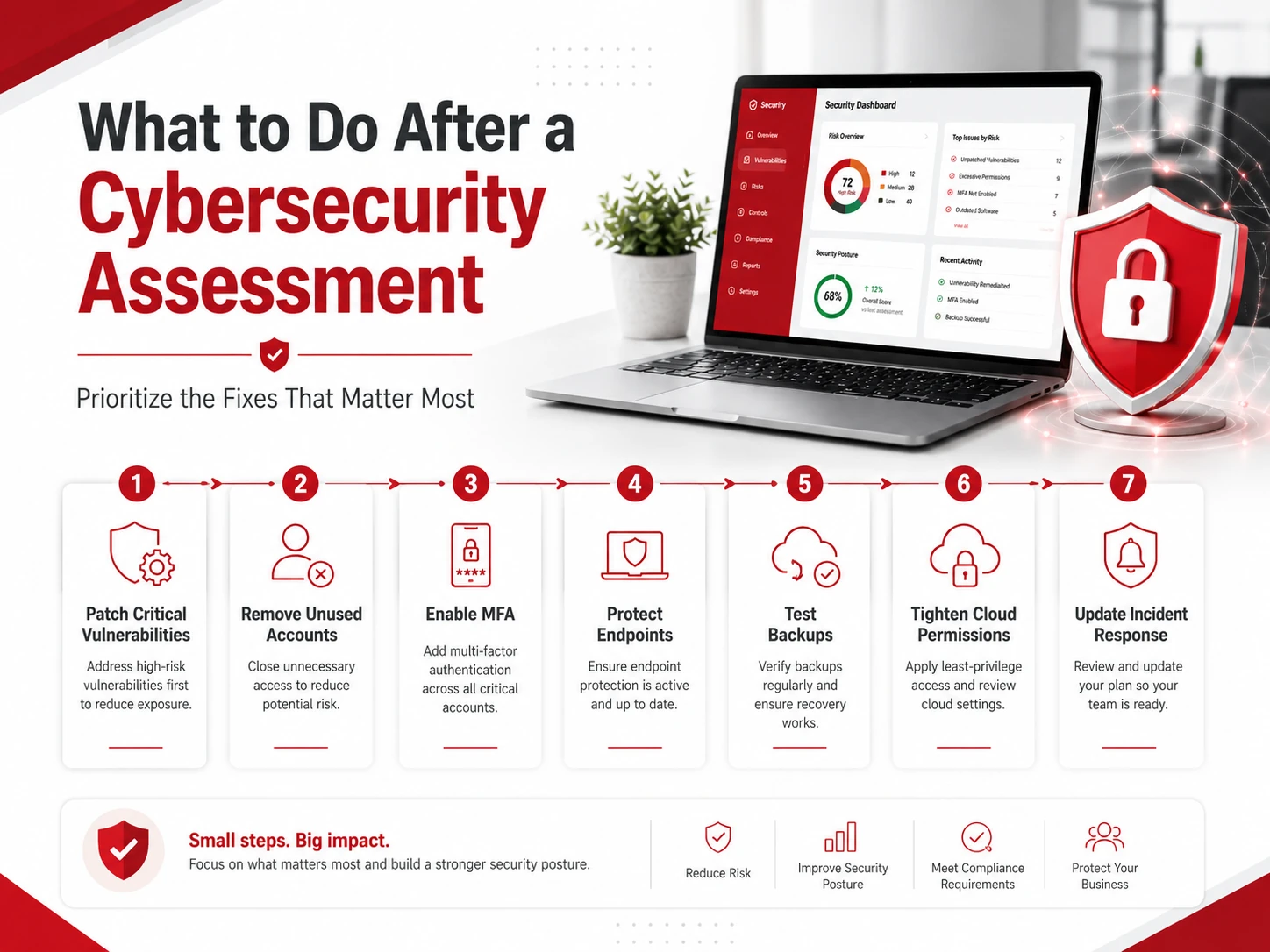
After the assessment, prioritize the most important issues first. Not every risk has the same urgency.
Start by addressing:
- Critical vulnerabilities
- Missing patches
- Weak passwords
- Unused accounts
- Lack of MFA
- Unprotected endpoints
- Untested backups
- Poor cloud permissions
- Missing incident response steps
Then create a schedule for future reviews. A cybersecurity assessment is most useful when it leads to action, not just a list of problems.
Need Help Assessing Your Cybersecurity Risks?
Adivi helps small businesses identify security gaps, strengthen IT systems, protect sensitive data, and reduce cyber risk. If your business needs a clearer view of its cybersecurity posture, Adivi can help assess your environment and build a stronger security plan.
Schedule a free assessment with Adivi to find the right cybersecurity approach for your business.
FAQs
What is a cybersecurity assessment?
A cybersecurity assessment is a review of a business’s systems, devices, users, policies, and security controls to identify weaknesses and reduce cyber risk.
What should be included in a cybersecurity assessment?
A cybersecurity assessment should include devices, software updates, user permissions, passwords, MFA, email security, endpoint protection, network security, cloud systems, backups, vendor access, and incident response planning.
How often should small businesses do a cybersecurity assessment?
Small businesses should complete a cybersecurity assessment at least once a year and after major changes such as cloud migration, new software, remote work changes, or a security incident.
Why do small businesses need cybersecurity assessments?
Small businesses need cybersecurity assessments to find security gaps, reduce the risk of cyberattacks, protect sensitive data, and avoid downtime.
Can small businesses do a cybersecurity assessment themselves?
Small businesses can use a basic checklist internally, but a professional assessment can provide a deeper review of technical risks, misconfigurations, and security gaps.