Cloud cost optimization is the process of reviewing, managing, and reducing cloud spending without hurting performance, security, or business operations. For small businesses, this usually means removing unused resources, choosing the right cloud plans, tracking monthly usage, and making sure teams are not paying for tools they no longer need.
Cloud services can help small businesses stay flexible and avoid large upfront hardware costs. However, cloud bills can become expensive when storage, software, servers, backups, and user licenses are not reviewed regularly.
Key Takeaways
- Cloud cost optimization helps small businesses reduce waste and control monthly cloud spending.
- Common causes of high cloud costs include unused licenses, oversized resources, old backups, poor storage management, and lack of monitoring.
- Businesses should review cloud usage regularly instead of waiting until the bill increases.
- Cost savings should not come at the expense of security, backups, or business continuity.
- A managed IT provider can help small businesses improve cloud visibility, reduce waste, and choose the right cloud setup.
Why Cloud Costs Increase for Small Businesses
Cloud costs often increase because small businesses add services over time without reviewing what is still needed. A company may start with email, file storage, and a few apps, then later add cloud backups, remote access tools, collaboration software, and extra user licenses.
Over time, the business may end up paying for:
- Inactive users
- Unused software licenses
- Too much cloud storage
- Old backups
- Oversized servers
- Duplicate tools
- Unmonitored data transfers
- Cloud resources that run when no one uses them
This does not mean cloud computing is a bad investment. It means businesses need a clear process for reviewing cloud usage and matching costs to actual needs. Adivi’s guide on cloud computing costs explains common pricing factors, including usage, storage, licensing, data transfer, and service levels.
Cloud Cost Optimization Checklist
Use this checklist to review cloud spending and identify areas where your business may be able to save money.
1. Review Your Monthly Cloud Bill
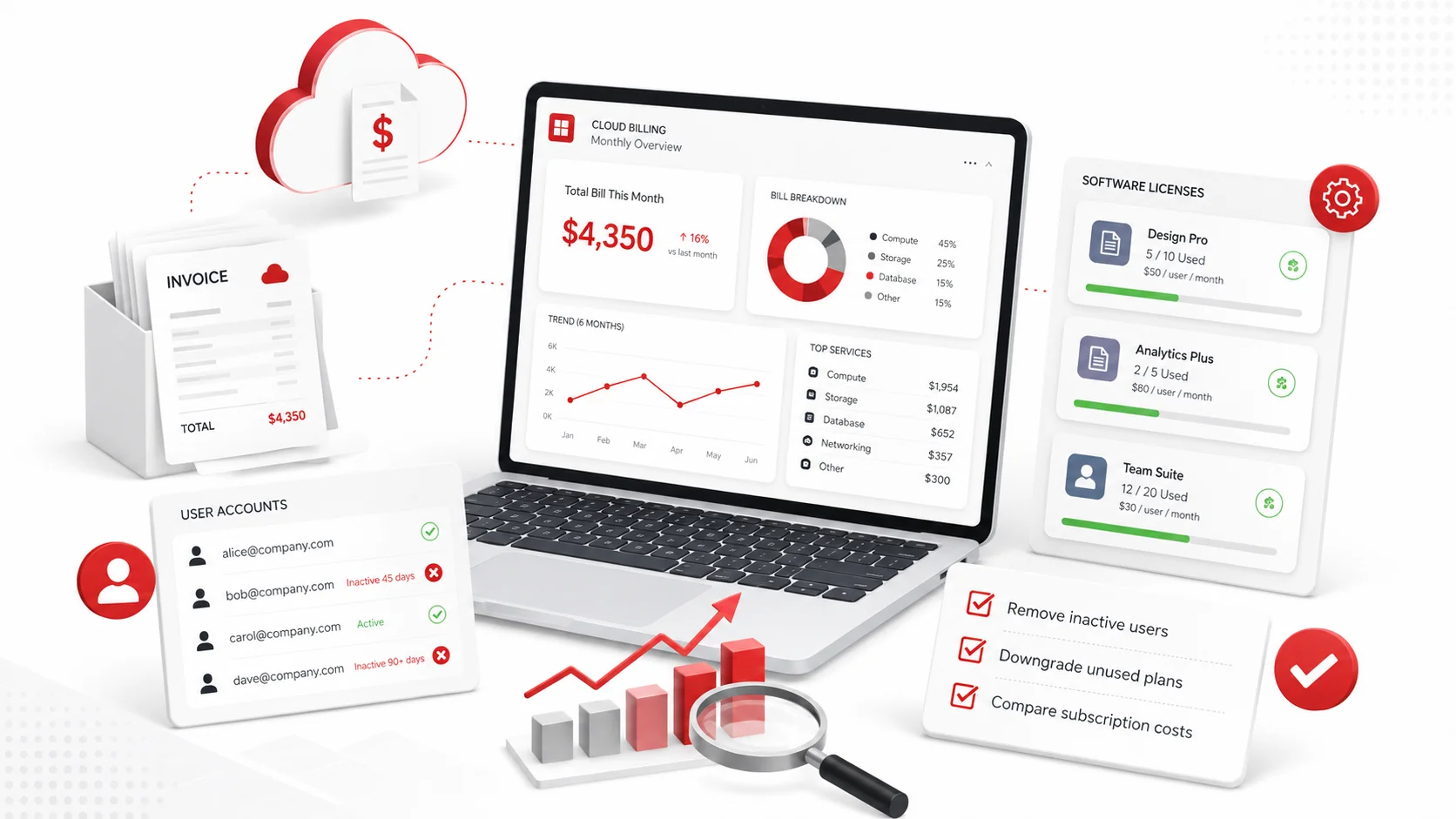
Start by reviewing your latest cloud invoices. Look at every service, license, storage charge, backup charge, and user account.
Check for:
- Services you do not recognize
- Sudden month-to-month increases
- Duplicate tools
- Unused subscriptions
- Charges for former employees
- Storage or backup costs that keep growing
- Support plans that no longer match your needs
This gives you a clear starting point before making changes.
2. Remove Unused User Accounts
Unused accounts are one of the easiest ways small businesses overspend on cloud services. When employees leave, their accounts may still be active across email, cloud storage, project management tools, CRM platforms, or communication apps.
Review all active users and remove or disable accounts that are no longer needed.
This should include:
- Former employees
- Temporary contractors
- Duplicate accounts
- Old admin accounts
- Users with access to tools they no longer use
Removing unused accounts can reduce monthly licensing costs and improve security at the same time.
3. Audit Software Licenses
Many businesses pay for software licenses that are underused or no longer needed. This is common with tools like Microsoft 365, cloud storage apps, design software, project management platforms, and communication tools.
Review each software license and ask:
- Who is using it?
- How often is it used?
- Is there a lower-cost plan that still meets the need?
- Are there duplicate tools doing the same job?
- Can some users be moved to a basic plan?
If your business uses Microsoft 365 or cloud-based productivity tools, managed IT services can help track licenses, manage user access, and keep software spending under control.
4. Right-Size Cloud Resources
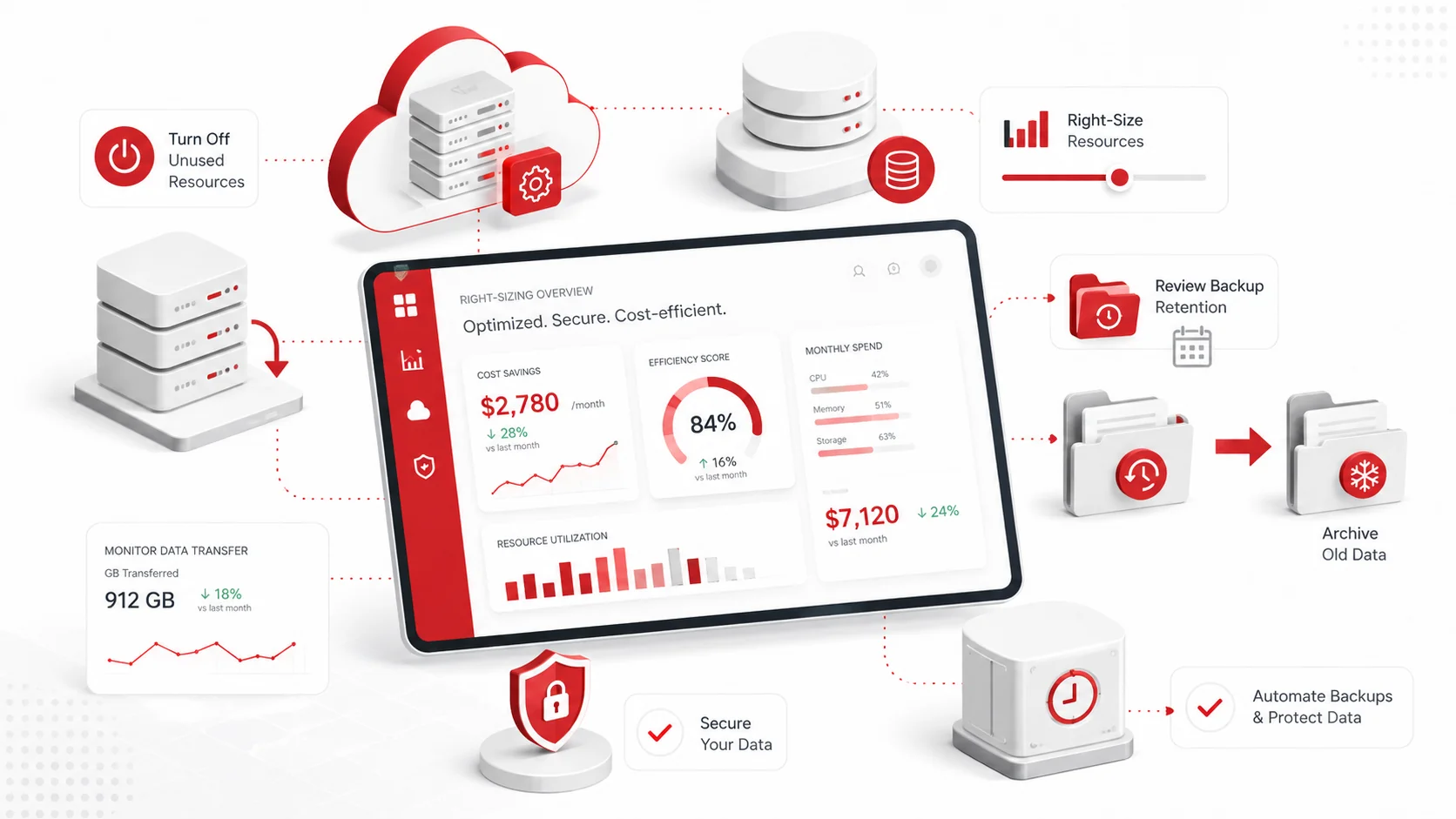
Right-sizing means matching cloud resources to actual usage. If a business pays for more storage, computing power, or server capacity than it needs, the extra capacity becomes wasted spend.
Review:
- Cloud servers
- Storage plans
- Virtual machines
- Databases
- Backup capacity
- Application hosting resources
If a server or cloud resource is regularly using only a small portion of its capacity, it may be oversized. Adjusting it to the right level can help reduce costs while keeping performance stable.
5. Delete or Archive Old Data
Cloud storage costs can grow slowly over time. Small businesses often store years of old files, duplicate folders, outdated backups, and archived projects without reviewing them.
Review stored data and decide what should be:
- Kept
- Archived
- Deleted
- Moved to lower-cost storage
- Protected under backup policies
Do not delete important business data without a clear retention policy. Some files may need to be kept for legal, financial, compliance, or operational reasons.
For businesses that need stronger protection, data backup and disaster recovery services can help create a safer approach to cloud backup, retention, and recovery.
6. Review Backup Settings
Cloud backups are important, but they should still be managed carefully. If backup settings are too broad, the business may pay to store unnecessary files or keep backup copies longer than needed.
Check:
- What data is being backed up
- How often backups run
- How long backups are retained
- Whether old backups are still needed
- Whether backup storage is growing too quickly
- Whether critical systems are properly protected
The goal is not to reduce backup protection. The goal is to make sure backup costs match business risk and recovery needs.
7. Monitor Data Transfer Costs
Some cloud platforms charge for data movement, especially outbound data transfer. These costs can become harder to track if employees frequently move large files, applications sync across multiple locations, or systems transfer data between cloud environments.
Review whether your business is paying for:
- Large file downloads
- Data movement between regions
- Frequent cloud-to-cloud transfers
- Backup transfers
- Application traffic
- Media or large file hosting
If data transfer costs are increasing, your cloud setup may need to be reviewed.
8. Use Cloud Storage Policies
A cloud storage policy helps employees understand where files should be saved, shared, archived, and deleted.
Your policy should explain:
- Where active work files should be stored
- What should not be saved locally
- Which folders are backed up
- How files should be shared externally
- When old files should be archived
- Who can approve additional storage
Without a policy, employees may create duplicate folders, save files in the wrong locations, or use separate tools that increase cost and risk.
9. Turn Off Resources That Are Not in Use
Some cloud resources continue running even when no one is using them. This can happen with test environments, development servers, temporary storage, or old applications.
Review whether any resources can be:
- Turned off after business hours
- Scheduled to run only when needed
- Removed after a project ends
- Consolidated with another system
This is especially useful for small businesses that use cloud servers or development environments.
10. Review Cloud Security Costs Carefully
Security is not the place to make careless cuts. Reducing cloud costs should never mean removing important protections such as multi-factor authentication, endpoint protection, backup security, monitoring, or access controls.
Instead, review whether your cloud security tools are organized properly.
Look for:
- Duplicate security tools
- Unused security licenses
- Overlapping subscriptions
- Missing access controls
- Security tools that are paid for but not configured
Small businesses can work with cybersecurity services and solutions to make sure cloud environments stay protected while avoiding unnecessary security tool overlap.
11. Check Your Cloud Readiness Before Expanding
Before moving more systems to the cloud, review whether your business is actually ready. Moving too quickly can lead to poor planning, unexpected costs, and security gaps.
A cloud readiness review can help identify:
- Which systems should move to the cloud
- Which systems should stay as they are
- What costs may change
- What security controls are needed
- What backup and recovery steps are required
- What employees need to be trained on
Adivi’s cloud readiness assessment checklist can help small businesses review their systems before making larger cloud decisions.
12. Compare Cloud Plans Regularly
Cloud providers and software vendors often update their plans, features, and pricing. A plan that made sense last year may no longer be the best fit.
Review your plans at least once or twice a year and compare:
- Features used
- User count
- Storage limits
- Support level
- Security features
- Backup options
- Contract terms
This helps your business avoid paying for features that no longer match current needs.
Simple Cloud Cost Optimization Checklist
Use this quick checklist during monthly or quarterly cloud reviews.
| Task | Complete |
| Review the latest cloud invoice | |
| Identify sudden cost increases | |
| Remove inactive user accounts | |
| Audit software licenses | |
| Downgrade unused premium plans | |
| Right-size cloud servers and storage | |
| Delete or archive old files safely | |
| Review backup frequency and retention | |
| Check data transfer costs | |
| Turn off unused cloud resources | |
| Remove duplicate tools | |
| Review cloud security tools | |
| Check cloud storage permissions | |
| Confirm backup and recovery coverage | |
| Review cloud plans every 6–12 months |
Common Cloud Cost Optimization Mistakes
Cloud cost optimization should be planned carefully. Cutting the wrong services can create more risk than savings.
Avoid these mistakes:
- Deleting data without a retention policy
- Reducing backup coverage to lower costs
- Removing security tools without replacing protection
- Ignoring user access reviews
- Keeping former employees active in cloud systems
- Paying for duplicate software tools
- Expanding cloud services without a cost review
- Choosing the cheapest plan without checking support or security needs
The goal is not simply to spend less. The goal is to spend smarter.
How Managed IT Services Can Help Reduce Cloud Costs
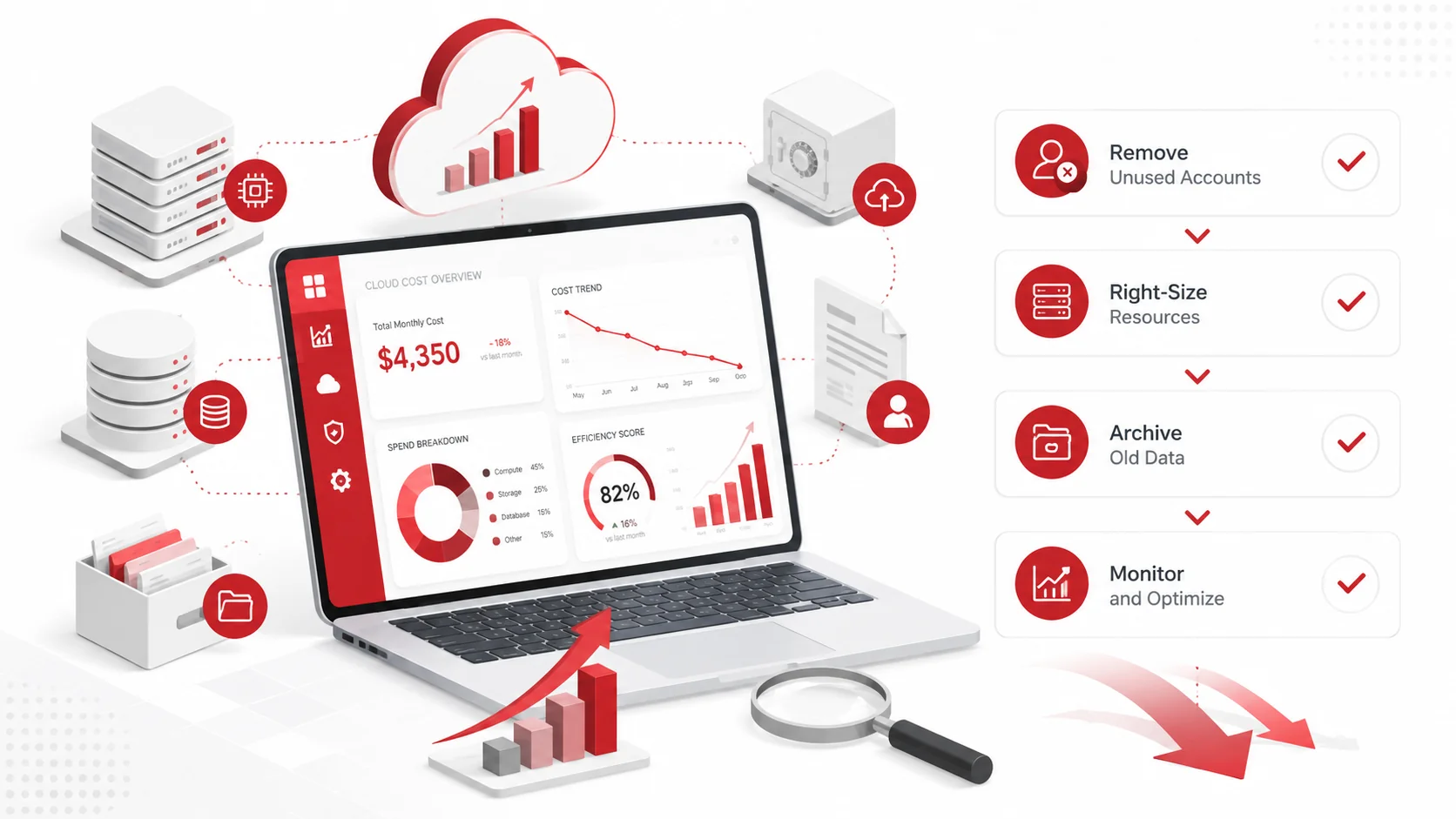
Small businesses may not always have the time or internal expertise to monitor cloud usage closely. A managed IT provider can help review cloud spending, improve visibility, and recommend changes that protect both the budget and the business.
Managed IT support can help with:
- Cloud billing reviews
- License management
- User account cleanup
- Backup planning
- Cloud storage policies
- Security configuration
- Vendor comparisons
- Cloud migration planning
- Ongoing monitoring
For small businesses that need help managing cloud tools, Adivi’s small business IT solutions can support cloud management, cybersecurity, backups, Microsoft 365, and everyday IT needs.
If your business is planning to move more systems online, cloud computing services can also help you choose, manage, and secure the right cloud environment.
Final Thoughts
Cloud cost optimization helps small businesses control monthly spending without losing the flexibility and convenience of cloud technology.
The best approach is to review cloud usage regularly, remove waste, right-size resources, manage licenses, and protect important data with the right backup and security controls. When done correctly, cloud cost optimization can reduce unnecessary spending while keeping systems reliable, secure, and ready for growth.
FAQs About Cloud Cost Optimization
What is cloud cost optimization?
Cloud cost optimization is the process of reviewing and reducing cloud spending by removing waste, right-sizing resources, managing licenses, and improving how cloud services are used.
Why do small business cloud costs increase?
Cloud costs often increase because of unused licenses, old backups, extra storage, oversized resources, duplicate tools, and cloud services that are not reviewed regularly.
How often should small businesses review cloud costs?
Small businesses should review cloud costs monthly or quarterly. A deeper cloud usage review can also be done every 6 to 12 months.
Can cloud cost optimization affect security?
It can if cuts are made carelessly. Businesses should avoid removing important protections such as backups, multi-factor authentication, monitoring, and access controls just to lower costs.
How can managed IT services help with cloud costs?
Managed IT services can help review cloud bills, manage licenses, remove unused accounts, optimize storage, protect backups, and recommend better cloud plans based on actual business needs.