Data loss can be catastrophic, whether caused by human error, hardware failure, cyberattacks, or data backup failure. A well-crafted backup plan is your safety net. Thisbackup planning guide explains why it matters and how to build a strategy that keeps your data safe and recoverable. Make sure your plan aligns with your business’s risk tolerance, and get expert support to stay protected.
Key takeaways
- Identify critical data and set up regular backups.
- Choose the right storage mix (local, cloud, or hybrid)
- Use trusted tools, services, and Backup as a Service to automate and manage backups.”
- Test restores regularly and documents every step.
- Avoid common errors like single-location backups and lack of compliance
What Is Backup Planning?
Backup planning is the process of creating a strategy to regularly copy and store important data so it can be restored in case of loss, corruption, or disaster. It ensures business continuity by protecting everything from emails and documents to applications and server configurations. Learn what backup and disaster recovery really means and why it’s essential for every organization.
An effective backup plan considers:
- What data needs to be backed up
- How often backups should occur
- Where backups will be stored
- Who is responsible for managing backups
How to Create a Backup Plan
Creating a solid backup plan starts with essential backup strategies that protect your data. First, understand the benefits of data backup and recovery to guide your strategy. Follow these steps:
- Identify Critical Data
Start by mapping out which systems, files, databases, and applications are essential for your operations. - Choose the Right Backup Method
Decide between full, incremental, differential, or hybrid backups depending on your recovery needs and storage capacity, then compare the best backup solutions for small businesses to find the right fit. - Select Storage Locations
Use a mix of on-site and offsite storage to improve redundancy and security. - Set a Backup Frequency
Define how often each type of data should be backed up—hourly, daily, weekly—based on how often it changes. - Assign Roles and Responsibilities
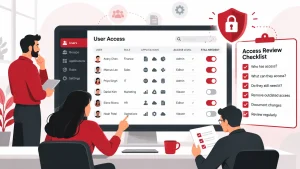
Designate who will manage and monitor backup tasks. In many cases, professional managed IT services provide the consistent monitoring and management needed to maintain reliable backups. - Test Your Restores Regularly
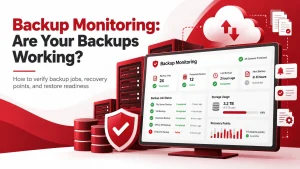
Regular restore testing is a core part of data backup and disaster recovery, confirming that information can be recovered quickly and correctly. - Document Everything
Maintain a clear record of your backup policies, procedures, and schedules. This helps ensure continuity if staff changes or systems evolve.
What Are the Different Types of Data Backups?
Understanding the types of backups helps you choose the right mix for your needs:
- Full Backup
A complete copy of all data. Reliable but time- and storage-intensive. - Incremental Backup
Only saves changes since the last backup. Fast and storage-efficient but slower to restore. - Differential Backup
Captures changes since the last full backup. Easier to restore than incremental but uses more storage over time. - Mirror Backup
Creates an exact real-time replica of your data. Fast access, but any deletion or corruption is mirrored too. - Cloud Backup
Cloud computing services send backup data to off-site servers for remote protection, scalability, and accessibility. - Hybrid Backup
Combines local and cloud backups for both speed and resilience.
Types of Backup Solutions
There are three main types of backup solutions: local backups, which store data on physical devices such as external drives; cloud backups, which save data to remote servers accessible via the internet; and hybrid backups, which combine both methods to ensure additional security and faster recovery.
- Local Backups
Fast and offline—ideal for quick restores, but vulnerable to physical damage. - Cloud Backups
Access your backups from anywhere and eliminate hardware maintenance, but be mindful of bandwidth and costs.
- Hybrid Backups
Combine both for redundancy: local speed and cloud resilience. It’s the best of both worlds.
- essential data, including emails and databases, is backed up.
- Weak Security: Protect backups with encryption and strict access controls to prevent breaches, learn more about how backup services enhance data security in education environments
- No Clear Ownership: Assign backup responsibilities so nothing gets overlooked.
Protect What Matters—Before It’s Too Late
Don’t wait for a data loss event to realize the value of reliable backups and business continuity planning services. Adivi’s managed Data Backup and Disaster Recovery services are built to keep your business running, no matter what. From setup to continuous monitoring, we handle it all so your critical data stays safe, secure, and always recoverable.
FAQ’s
What’s the difference between a backup and disaster recovery?
A backup is a copy of your data, while disaster recovery includes the entire process of restoring systems, data, and operations after a significant failure or breach.
How often should I back up my data?
Backup frequency depends on how often your data changes. Daily or real-time backups are ideal for critical data, while weekly backups may be enough for less vital files.
Where should backups be stored?
Ideally, use a combination of on-site and off-site (cloud or remote location) storage to protect against local disasters, such as fire, theft, or hardware failure.
Can I rely solely on cloud backups?
Cloud backups are reliable and scalable, but combining them with local backups (a hybrid approach) provides faster recovery and an extra layer of protection.
How do I know if my backup plan is working?
Run regular restore tests to verify that your backups are complete, accessible, and recoverable within the required timeframe.