As technology becomes deeply embedded in daily operations, data protection has become a cornerstone of success for small businesses, with safeguarding critical information paramount. The consequences of data loss, whether due to cyber threats, hardware failures, or human error, can be devastating, often leading to significant operational disruptions and financial setbacks.
Effective backup and disaster recovery solutions help ensure business continuity and resilience against potential data disasters. By implementing robust backup strategies, small businesses secure their valuable data and fortify their defense against the ever-evolving landscape of digital threats and uncertainties.
In this blog, you’ll learn about the top 10 options, each with unique features and benefits tailored to small businesses. Understanding these solutions is vital for ensuring the safety and accessibility of your business data.
IT Audit Checklist: Are You Fully Secured?
Download Our Free Checklist To Learn:
- The most overlooked vulnerabilities putting your business at risk.
- Key areas to assess—like network, endpoint, and cloud security.
- How to proactively close security gaps and stay compliant with evolving regulations.
Don’t leave the security of your data to chance; schedule a free assessment with Adivi today to fortify your data protection strategy!
Takeaway
- Learn about diverse backup solutions suitable for small businesses.
- Understand the pros and cons of each solution to make an informed decision.
- Gain insights into features like cloud backup, data protection, and recovery options.
Understanding Different Types of Backup Solutions

Businesses are presented with several key options in data backup, each tailored to different needs and scenarios. Cloud backup solutions offer the convenience of remote data storage, enabling companies to access their data from any location with an internet connection while benefiting from the scalability and reduced physical infrastructure requirements of cloud computing.
On the other hand, on-premises backup solutions involve storing data locally, typically on physical servers or storage devices within a business’s own facility, providing faster data recovery times and greater control over security protocols. Hybrid backup solutions merge the best of both worlds, combining on-site data storage with cloud-based backups, offering a balanced approach that maximizes accessibility and security.
This blend allows businesses to enjoy quick access and control of on-premises backups, leveraging cloud storage’s off-site protection and scalability, making hybrid solutions a versatile choice for many small businesses. It’s worth noting that a private encryption key plays a vital role in ensuring data security within these backup solutions, providing an extra layer of protection for sensitive information and the ability to restore data securely when needed.
Top 10 Small Business Backup Solutions (2025)
Here are ten popular and reliable small business backup solutions.
1. Acronis Cyber Protect
- Why It’s Great: Combines backup, anti-malware, and endpoint protection in one.
- Best For: Businesses seeking all-in-one security and data recovery.
- Standout Feature: AI-based ransomware protection.
2. Backblaze Business Backup
- Why It’s Great: Affordable, unlimited cloud backup with simple setup.
- Best For: Budget-conscious SMBs with large data needs.
- Standout Feature: Flat pricing for unlimited backup per device.
3. Carbonite Safe Pro
- Why It’s Great: Automated cloud backup with options for external drives and servers.
- Best For: Businesses wanting set-it-and-forget-it simplicity.
- Standout Feature: Automatic video, email, and database backups.
4. IDrive for Business
- Why It’s Great: Supports unlimited devices under one account.
- Best For: Multi-device environments (desktops, mobile, servers).
- Standout Feature: Real-time continuous syncing and snapshot-based recovery.
5. CrashPlan for Small Business
- Why It’s Great: Designed specifically for SMBs, with flexible file recovery and unlimited storage.
- Best For: Businesses focused on frequent incremental backups.
- Standout Feature: Continuous backup every 15 minutes.
6. MSP360 (formerly CloudBerry Backup)
- Why It’s Great: Bring-your-own-storage flexibility (Amazon S3, Wasabi, Backblaze B2).
- Best For: Businesses with custom storage preferences.
- Standout Feature: Powerful scheduling and compression options.
7. Datto SIRIS
- Why It’s Great: High-end backup with instant virtualization and ransomware detection.
- Best For: IT-heavy or compliance-sensitive environments.
- Standout Feature: Hybrid cloud backup and instant restore.
8. Google Workspace Backup (via Spanning Backup)
- Why It’s Great: Backs up Gmail, Drive, Calendar, and Contacts.
- Best For: Google Workspace-based teams.
- Standout Feature: Daily automatic backup with unlimited restore points.
9. Veeam Backup & Replication
- Why It’s Great: Enterprise-grade tool adapted for SMB needs.
- Best For: Virtualized environments (VMware, Hyper-V).
- Standout Feature: Instant VM recovery and granular file-level restores.
10. Dropbox Backup
- Why It’s Great: Simple file-level backup integrated with Dropbox’s interface.
- Best For: Teams already using Dropbox for storage and collaboration.
- Standout Feature: Auto-backup of folders, external drives, and camera uploads.
11. Adivi
- Why It’s Great:
Adivi provides small business IT services as an outsourced technology partner for backup, cloud, and infrastructure management. It helps small businesses implement, manage, and monitor the best backup and cloud solutions, ensuring data is protected without overwhelming your internal team. - Best For:
Small businesses that want expert IT guidance and hands-off management of cloud backup, cybersecurity, and infrastructure support. - Standout Feature:
End-to-end backup support, from vendor selection to daily monitoring and emergency recovery, delivered with personalized IT consulting and support.
Developing a Backup Strategy for Your Small Business

Developing a comprehensive backup strategy is essential for small businesses, serving as the foundation of a robust business continuity plan (BCP) or disaster recovery plan (DRP). This process involves a detailed assessment of risk levels, understanding the potential impacts of data loss on operations, and determining the acceptable recovery time and point objectives.
By identifying critical data and systems, businesses can prioritize their backup efforts, ensuring that the most essential elements are recovered first in the event of a disaster. Setting clear recovery objectives aligned with the overall business strategy ensures that in the face of data loss, a business can maintain operational integrity and minimize potential disruptions and financial impacts.
Business Continuity and Disaster Recovery
A strong data backup and disaster recovery process is essential for business continuity. It minimizes downtime during data loss or system failure and keeps operations running smoothly. When choosing a backup solution, look for one that offers reliable recovery options tailored to your needs. The right solution protects your data and ensures your business can bounce back quickly, an absolute must in today’s digital world.
Best Practices in Backup Frequency and Data Retention
Following best practices for backup frequency and data retention is key to reducing data loss and supporting business continuity. Frequent backups shorten recovery gaps, while clear retention policies, daily, weekly, monthly, or yearly, help meet both operational and compliance needs. Tailoring these to your most critical data ensures quick recovery and protects against legal and reputational risks.
Security and Safety of Backup Solutions
- Strong Security Features: Backup solutions must incorporate robust security measures. This includes encryption in transit (as data is being sent to the backup location) and at rest (stored in the backup location).
- Encryption Techniques: Advanced encryption protocols are crucial to protect sensitive data from unauthorized access or breaches.
- Protection Against Cyberattacks: Implementing strategies to defend against malware and ransomware attacks is essential. This involves regular updates and security patches to the backup systems.
- Limited Internet Access: Restricting unnecessary internet access for backup devices and services reduces vulnerability to online threats.
- Network Separation: Keeping backup systems separate from the leading network can prevent spreading of infections. This isolation ensures backups remain unaffected even if the primary network is compromised.
- Regular Security Audits: Conducting frequent security checks and audits of backup systems helps identify and promptly address vulnerabilities.
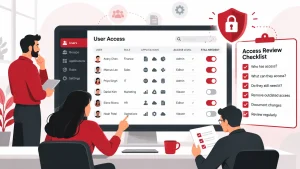
- Access Control: Implementing strict access controls and authentication measures for backup systems to ensure that only authorized personnel can access or restore from backups.
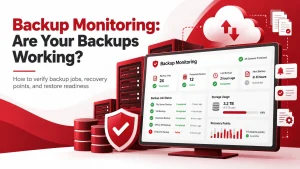
- Monitoring and Alerts: Continuous tracking of backup systems for suspicious activities and setting up alerts for unusual access patterns can further enhance the security of backup solutions.
Secure Your Business’s Future: Choose Adivi for Tailored and Robust Backup Solutions
Choosing the right backup solution is crucial for small businesses, it protects your data, keeps operations running, and helps you meet compliance standards. Adivi makes it simple with secure, easy-to-manage backup and disaster recovery services designed specifically for small business needs. Explore Adivi’s solutions and schedule a free assessment to strengthen your data protection strategy today.