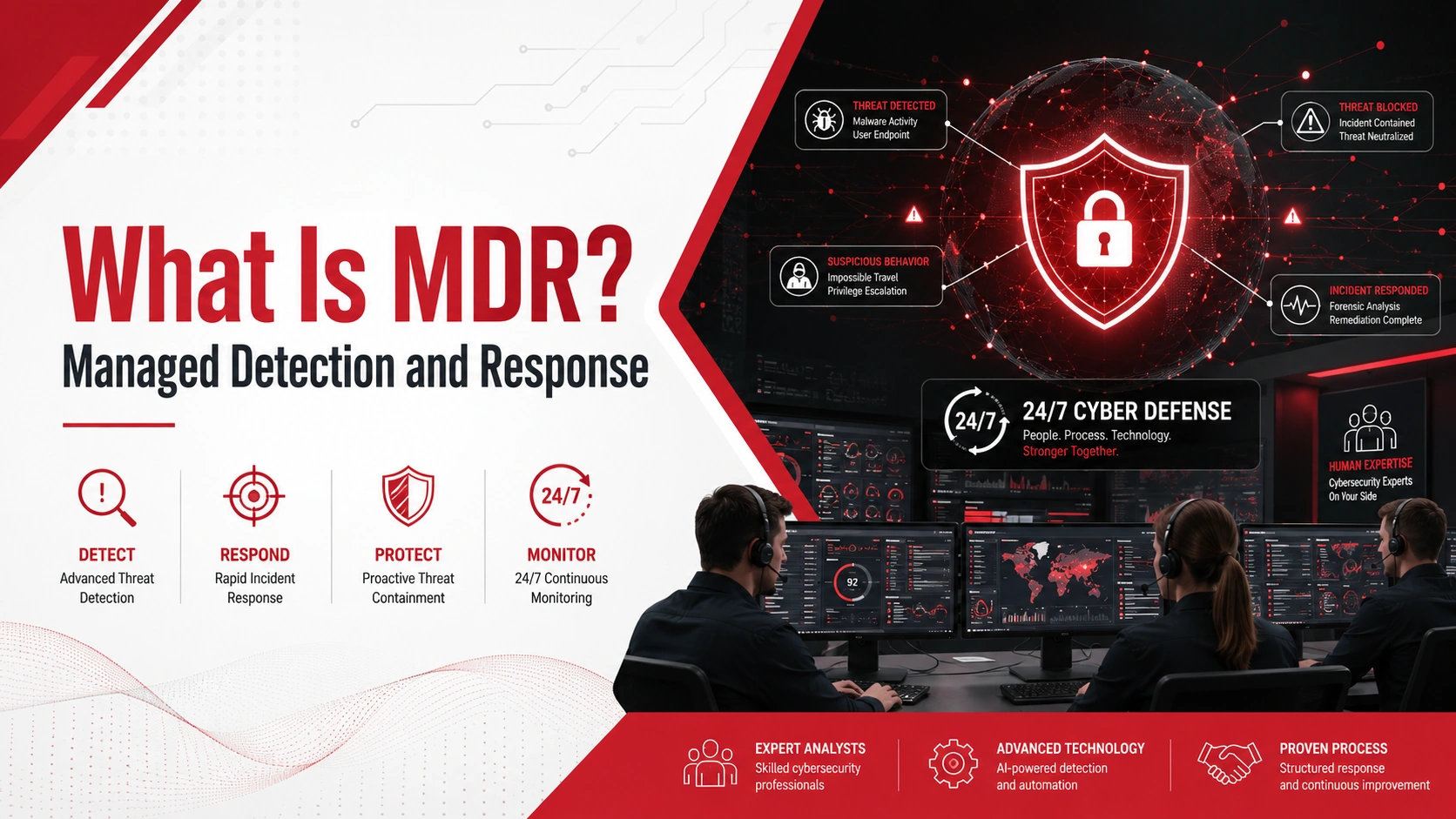
MDR stands for Managed Detection and Response. It is a cybersecurity service that helps businesses detect, investigate, and respond to cyber threats.
Instead of only relying on security tools that send alerts, MDR combines technology with human cybersecurity experts. These experts monitor suspicious activity, review alerts, hunt for threats, and help stop attacks before they cause serious damage.
For small and mid-sized businesses, MDR can provide stronger security without the cost of building a full internal security operations team.
Key Takeaways
- MDR stands for Managed Detection and Response.
- MDR is a cybersecurity service focused on detecting, investigating, and responding to cyber threats.
- MDR combines security tools with human expertise.
- MDR usually includes monitoring, alert triage, threat hunting, investigation, and response support.
- MDR is more advanced than basic antivirus because it includes active monitoring and response.
- Small businesses may benefit from MDR if they handle sensitive data, use cloud tools, or do not have an internal cybersecurity team.
What Is MDR?
MDR, or Managed Detection and Response, is a managed cybersecurity service focused on finding and responding to threats. It usually includes 24/7 monitoring, alert triage, threat hunting, investigation, response support, and security reporting.
| MDR Element | What It Means |
| Managed | A security team helps monitor and respond to threats |
| Detection | Suspicious activity is identified across systems and devices |
| Response | Threats are investigated, contained, or escalated quickly |
The main goal of MDR is to help businesses detect threats earlier and respond faster. This is important because many cyberattacks are not stopped by antivirus or firewalls alone.
How Managed Detection and Response Works
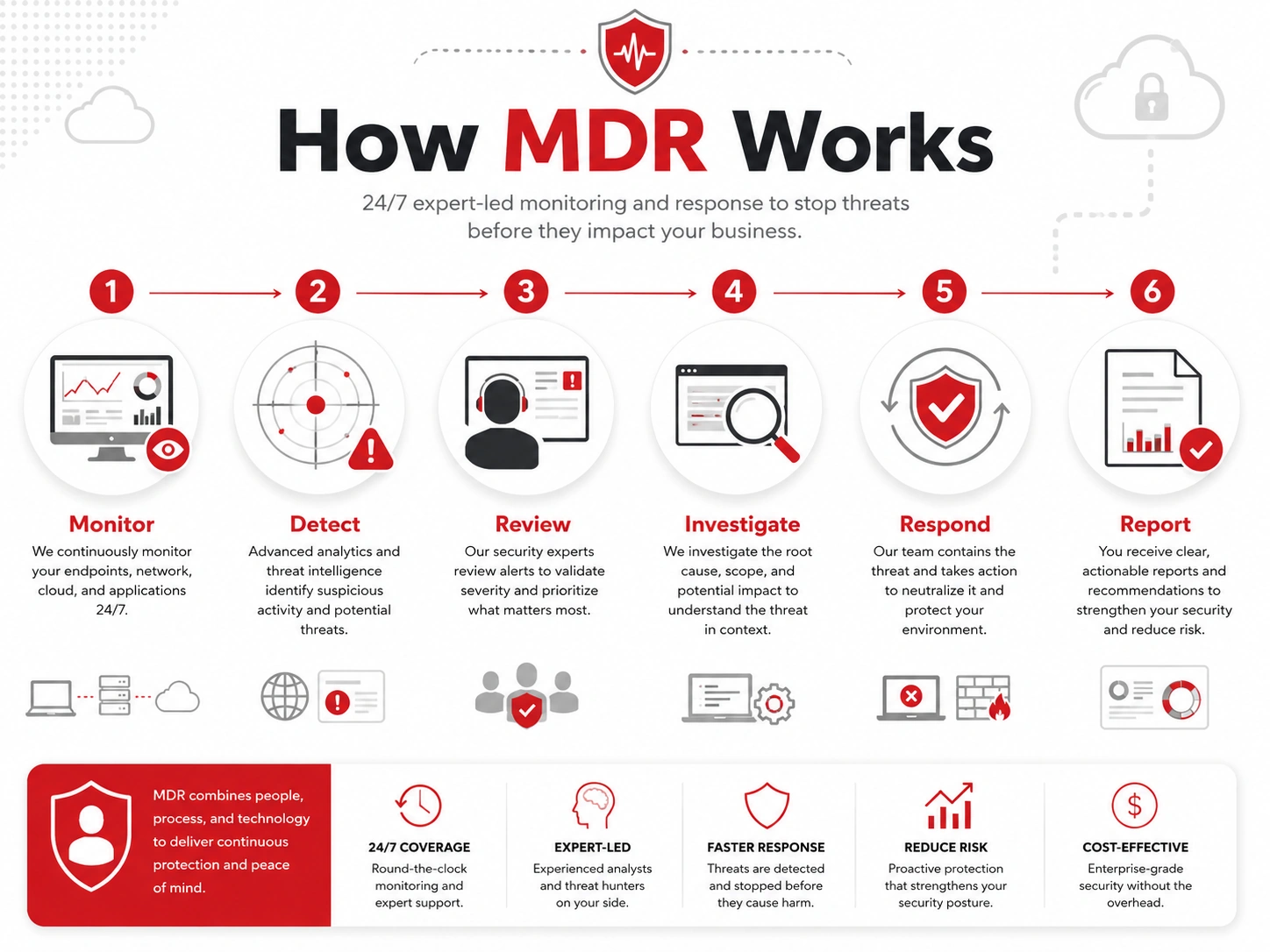
Managed Detection and Response works by combining security tools, monitoring, investigation, and expert response.
A typical MDR process looks like this:
- Security tools monitor business systems.
- Suspicious activity is detected.
- Alerts are reviewed by cybersecurity experts.
- Real threats are investigated.
- The MDR team recommends or performs response actions.
- Reports are shared with the business.
- Security improvements are made after the incident.
For example, if an employee account shows unusual login activity, MDR can help determine whether it is a false alarm or a real threat. If the activity looks suspicious, the MDR team can help contain the issue, protect affected systems, and guide the next steps.
This gives businesses a more active security approach instead of waiting until a threat becomes a major incident.
What Does MDR Include?
MDR services can vary by provider, but most include a mix of monitoring, investigation, and response support.
Managed Detection and Response may include:
- 24/7 threat monitoring
- Alert triage
- Threat investigation
- Threat hunting
- Endpoint monitoring
- Network monitoring
- Cloud security monitoring
- Incident response support
- Remediation guidance
- Security reporting
MDR can also support a broader cybersecurity services strategy by improving visibility across devices, users, cloud platforms, and networks.
Why Businesses Need MDR
Cyberattacks can happen at any time, including nights, weekends, and holidays. Many small businesses do not have the internal staff to monitor alerts around the clock.
Even when a business has security tools in place, those tools can create more alerts than a small team can review. Some alerts may be harmless, while others may point to a serious threat. MDR helps separate real risk from noise.
Businesses may need MDR because:
- Cyberattacks can happen outside office hours
- Security tools can generate too many alerts
- Small businesses may not have internal security teams
- Threats can move quickly after attackers gain access
- Suspicious activity may be missed without proper monitoring
- Faster response can reduce downtime, data loss, and disruption
MDR can also work alongside managed IT services and data backup and disaster recovery planning to create a stronger overall protection strategy.
MDR vs Traditional Antivirus
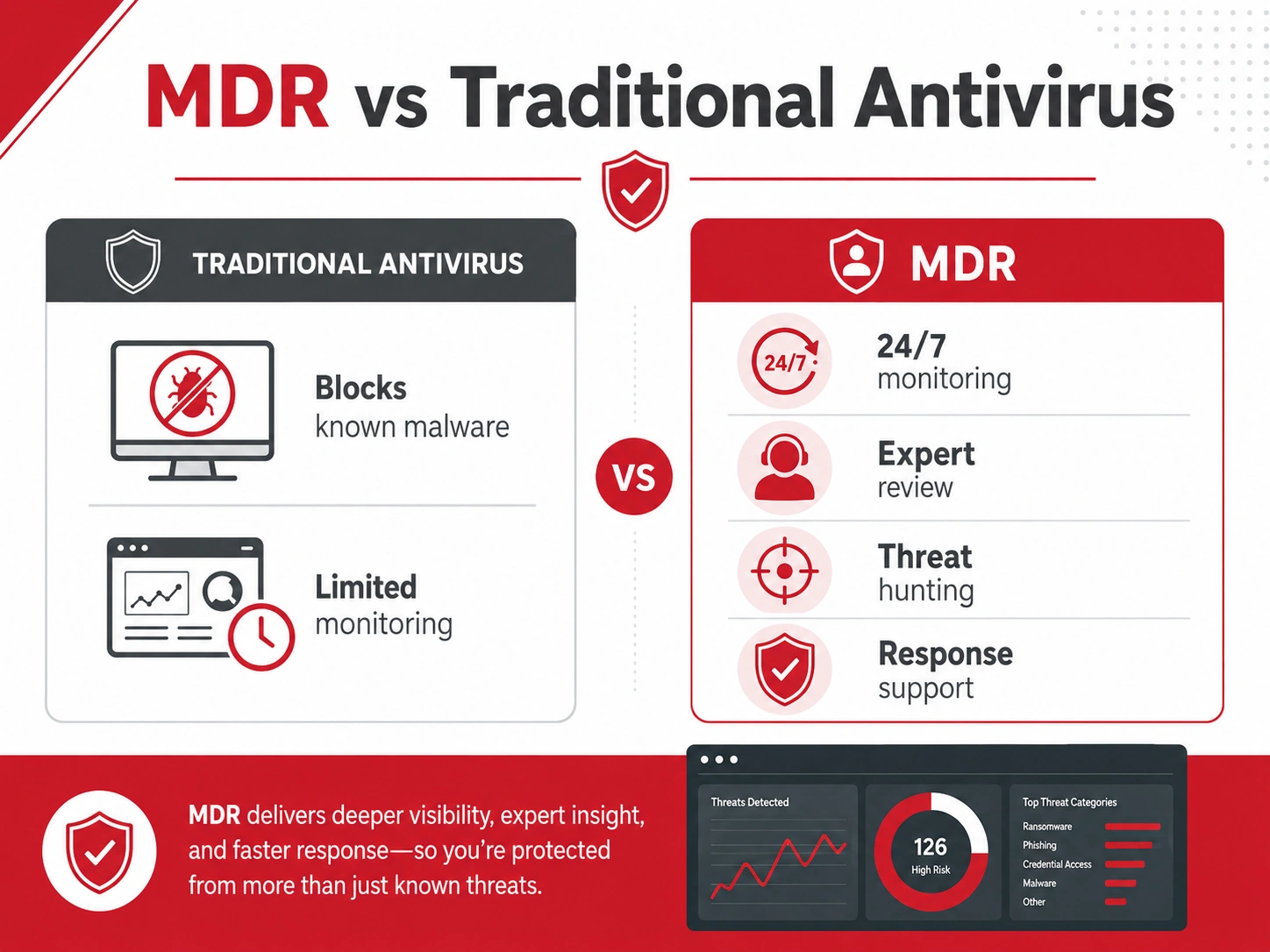
Traditional antivirus helps block known malware. It is useful, but it may not be enough for businesses facing more advanced threats.
MDR provides broader protection because it focuses on monitoring, investigation, threat hunting, and response. It can help detect suspicious activity that may bypass basic security tools.
| Category | Antivirus | MDR |
| Main purpose | Block known malware | Detect and respond to broader threats |
| Monitoring | Limited | Ongoing |
| Human review | Usually none | Included |
| Threat hunting | No | Yes |
| Incident response | Limited | Included or guided |
| Best for | Basic device protection | Stronger business security |
Antivirus may stop a known malicious file. MDR can help detect unusual logins, suspicious account activity, unauthorized access attempts, or abnormal behavior across systems.
MDR vs EDR, SIEM, and SOC
Cybersecurity terms can overlap, so it helps to understand how MDR compares with EDR, SIEM, and SOC.
MDR vs EDR
EDR stands for Endpoint Detection and Response. It focuses on detecting and responding to threats on endpoints such as laptops, desktops, and servers.
MDR may use EDR tools, but MDR is a managed service. That means cybersecurity experts help review alerts, investigate threats, and support response actions.
MDR vs SIEM
SIEM stands for Security Information and Event Management. It collects and analyzes security logs from different systems.
MDR may use SIEM data, but MDR goes further by including expert investigation, alert triage, threat hunting, and response support.
MDR vs SOC
A SOC, or Security Operations Center, is a team that monitors and responds to security threats.
MDR gives businesses access to SOC-like support without requiring them to build a full in-house security operations team. This can be valuable for small and mid-sized businesses that need stronger protection but do not have dedicated security staff.
Benefits of MDR for Small Businesses
Managed Detection and Response helps small businesses move from passive security to active threat detection and response.
Key benefits include:
- Faster threat detection
- 24/7 monitoring
- Expert security review
- Reduced alert fatigue
- Better visibility across systems
- Stronger incident response
- Lower risk of downtime
- Better protection for cloud and remote work environments
- Access to cybersecurity expertise without hiring a full internal team
One of the biggest benefits is faster decision-making. When a suspicious alert appears, a business does not have to figure it out alone. MDR provides expert guidance on what is happening, how serious it is, and what should happen next.
Who Needs Managed Detection and Response?
MDR may be useful for businesses that need stronger security monitoring but do not have a full internal cybersecurity team.
Your business may benefit from MDR if you:
- Handle sensitive customer, financial, healthcare, or legal data
- Use cloud systems
- Have remote or hybrid employees
- Receive alerts but do not review them consistently
- Do not have an internal cybersecurity team
- Need faster response to cyber threats
- Must meet vendor or compliance expectations
- Want to reduce the risk of ransomware, phishing, and unauthorized access
MDR can be especially helpful for businesses that rely on cloud systems, remote access, email, and business-critical software every day.
Is MDR Worth It?
MDR can be worth it for businesses that rely on technology, store sensitive data, or cannot afford long periods of downtime.
It is not only for large enterprise companies. Small businesses are often targeted because attackers expect weaker defenses, limited monitoring, and fewer internal security resources. MDR gives smaller teams access to cybersecurity expertise and ongoing monitoring without building a full security department.
The value depends on your business’s risk level, data sensitivity, and operations. If a cyber incident would disrupt customers, revenue, employees, or sensitive data, MDR may be a smart investment.
How to Know If Your Business Needs MDR
Your business may need MDR if:
- You are unsure whether systems are monitored after hours
- Security alerts are not reviewed consistently
- You have experienced phishing, malware, or suspicious logins
- You use cloud platforms or remote access tools
- You handle sensitive or regulated data
- You do not have a dedicated security team
- You want faster detection and response
If several of these apply, MDR may help close important security gaps.
Need Help Strengthening Your Cybersecurity?
Adivi helps businesses strengthen cybersecurity, monitor risks, and respond more effectively to threats. Whether your business needs managed detection and response, managed IT support, cloud security, or a broader cybersecurity strategy, Adivi can help you build a more resilient IT environment.
Schedule a free assessment with Adivi to find the right cybersecurity approach for your business.
FAQs
What does MDR stand for?
MDR stands for Managed Detection and Response.
What is MDR in cybersecurity?
MDR is a cybersecurity service that helps businesses detect threats, investigate suspicious activity, and respond to cyber incidents.
What does MDR include?
MDR usually includes threat monitoring, alert triage, threat hunting, investigation, incident response support, remediation guidance, and security reporting.
Is MDR the same as antivirus?
No. Antivirus mainly blocks known malware. MDR provides broader monitoring, expert investigation, threat hunting, and response support.
What is the difference between MDR and EDR?
EDR focuses on endpoint detection and response. MDR is a managed service that may use EDR tools but also includes security experts who monitor, investigate, and respond to threats.
Do small businesses need MDR?
Some small businesses need MDR, especially if they handle sensitive data, use cloud tools, support remote employees, or do not have an internal security team.
Is MDR worth it?
MDR can be worth it for businesses that need stronger threat detection, faster response, and expert cybersecurity support without building an internal security operations team.