A server crash is a total failure in server operations. Everything stops. Websites go down. Applications freeze. Files become unreachable. Servers handle a lot behind the scenes. They process user requests, store and deliver data, and keep your systems running. When one fails, all that stops. That’s a crash.
A crash can be immediate or slow. It can affect websites, apps, or internal services. Cloud, on-premises, and hybrid environments are all vulnerable. This isn’t just a tech issue. It affects your business. Customers can’t reach you. Staff can’t work. Orders stall. And trust takes a hit.
Server health isn’t something you fix once. It’s a routine. You need regular checks, smart monitoring, and quick reactions. Don’t wait for a crash to learn how your server works.
Start strengthening your server strategy today with expert guidance, proven tools, and practical steps that keep your systems running and your business moving.
Common Causes of a Server Crash
Hardware failure
Your server is only as reliable as the hardware it runs on. Components like hard drives, memory, and CPUs can wear out, and power supplies can fail. Overheating is a common cause when cooling systems aren’t working or airflow is blocked. Even a single failing fan can snowball into a full shutdown.
If you run servers in a hot room without proper ventilation, you increase your crash risk. Add power surges or poor cabling, and you have a ticking time bomb.
Software conflicts
Software is full of dependencies. If one part breaks, it can take the whole system down. Old operating systems, unpatched drivers, and buggy apps cause instability. You may not see it right away, but over time, performance degrades. Then, it breaks.
Some crashes happen after routine updates, while others follow months of neglect. Either way, regular patching is critical, as is testing updates in a controlled environment before pushing them live.
Traffic overload
Servers have limits. Sudden traffic spikes—whether from a viral campaign or a malicious attack—can exhaust resources.
Denial-of-service (DoS) attacks are designed to overload you. But even legitimate users can crash a server if it’s not ready to scale. Black Friday deals, product launches, or breaking news can flood your site. If your server isn’t built for that load, it fails.
Malware and cyberattacks
Malware doesn’t always make itself apparent. It might quietly use resources, delete files, or install backdoors. But eventually, it breaks things.
Ransomware locks your systems. Trojans create open channels for data theft. Some attacks are designed to shut you down. All of them can crash your server.
Strong security tools aren’t optional. Neither is regular scanning. You need real-time protection and logs to trace anything suspicious.
Human error
Admin mistakes are one of the top causes of downtime. Someone runs the wrong command, deletes a directory, or forgets to restart after an update.
Even well-trained IT teams slip. That’s why automation and double-check systems matter. Backups should always be tested, and changes should be logged.
Signs Your Server Might Crash Soon

Servers usually give warnings before they crash. Here’s what to watch for:
- Slower response times: Pages load slowly. Commands lag. Users notice.
- Unusual error messages: You see warnings or failure notices that weren’t there before.
- High resource usage: CPU and memory max out, even with typical workloads.
- Repeated application crashes: Apps freeze or restart often.
- Weird log activity: Logs show spikes, failed logins, or strange requests.
Don’t wait. These are early alarms. Investigate right away.
Business Impact of a Server Crash
A crash is more than a tech inconvenience. It hits your business hard:
- Revenue stops. Customers can’t check out or use your service.
- Trust takes damage. If it happens often, they go somewhere else.
- Data might be lost. Without good backups, some files are gone for good.
- Search rankings drop. Google sees outages. You lose visibility.
- Employee output drops. Teams can’t access files, emails, or tools.
- You may face legal problems. Especially in finance or healthcare, where data rules are strict.
How to Prevent a Server Crash
Preventing a crash takes ongoing attention. These strategies help you build a stronger, more resilient server environment.
Use Quality Server Hardware
Don’t cut corners on physical equipment. Choose enterprise-grade components with reasonable thermal control, stable power supplies, and proven durability. Cheap parts fail sooner and more often.
Patch Software Regularly
Outdated operating systems and applications are common entry points for problems. Apply patches consistently. Test updates in a controlled environment before rolling them out to production systems.
Install Antivirus and Firewalls
Security threats can quickly bring servers down. A solid firewall and real-time antivirus tools block malware before it damages your data. Make sure they stay updated, too.
Back Up Frequently and Securely
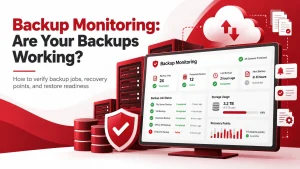
Backups should be automatic, encrypted, and stored off-site. Schedule backup tests to confirm that you can recover the data when needed. Don’t assume backups work—prove it.
Monitor Server Performance
Use performance monitoring to stay ahead of issues. Track CPU, emory, disk activity, and system logs. Set alerts so your team knows when something needs attention.
Plan for Growth
As your traffic grows, your system must scale. Use autoscaling tools or load balancers to avoid overload. Demand design, not just current use.
Immediate Steps to Take After a Server Crash
Once a crash happens, act fast:
- Stay calm. Don’t rush and make it worse.
- Isolate the issue. Disconnect if needed to stop further damage.
- Alert your team. Everyone should be aware and aligned.
- Check logs and diagnostics. Figure out what failed.
- Reboot the system. If safe, try a graceful restart before going hard.
- Call your provider or IT lead. Some issues are too big to fix solo.
Speed and clarity matter here. Document what you’re doing at every step.
Recovering from a Server Crash: Best Practices

Once systems are back up:
- Use backups to restore data. Make sure files are intact.
- Repair damaged configurations. Clean up anything that broke.
- Investigate the root cause. Don’t guess. Know what went wrong.
- Log the event. Keep records for future prevention.
- Test everything. Make sure systems are stable before normal operations resume.
Recovery isn’t just about getting online again. It’s about making sure it won’t happen the same way twice.
Long-Term Solutions to Avoid Another Server Crash
Set Up Load Balancers
Load balancers help distribute incoming traffic evenly across multiple servers. This prevents any one machine from getting overwhelmed and keeps services running smoothly if one server fails.
Move to Scalable Cloud Platforms
A cloud infrastructure grows with your business. It gives you flexibility to add or reduce resources based on demand. Cloud providers often offer built-in redundancy and security features that support long-term uptime.
Use Server Clusters
Clusters create redundancy and support continuous business operations when one server goes offline, others in the group keep the system running. This reduces the chance of a complete outage and improves resilience.
Run Regular Audits
Scheduled audits identify weaknesses before they become problems. This includes reviewing access controls, software versions, hardware performance, and server logs. Regular testing helps you maintain a secure and optimized environment.
Hire Experts for Disaster Planning
If you’re not sure where your vulnerabilities lie, get a second opinion. A professional can help you build a disaster recovery plan, test it, and patch holes before failure strikes.
Smart architecture supports business continuity. It reduces risk, lowers recovery time, and saves on repair costs down the road.
Tools That Can Help You Monitor and Prevent a Server Crash
These tools help you keep servers healthy:
- UptimeRobot – Tracks server status every minute
- SolarWinds – Offers complete visibility into server and app performance
- AWS CloudWatch – Built for Amazon’s cloud ecosystem
- New Relic – Useful for development and production monitoring
- Server Density – Lightweight, easy to use, and ideal for small teams
Choose one that fits your setup. Check alerts daily. Set thresholds before disaster strikes.
When to Call an Expert After a Server Crash
Sometimes, internal fixes aren’t enough:
- Your server keeps crashing with no apparent cause
- Data loss has legal or financial consequences
- You need digital forensics to find what happened
- Your business has SLAs and penalties for downtime
Don’t delay professional help. One missed issue could cause the next crash.
Final Thoughts
It’s impossible to predict every scenario where systems might fail. But with the proper protection in place, your business doesn’t have to come to a standstill.
In a server crash, hack, or data breach, you can rest assured that Adivi’s data recovery services are here to save the day. We help you respond fast and get back online without losing momentum.
Backups are kept active, current, and continuously tested. Recovery plans are built for real-world threats, not just best-case scenarios. From ransomware to hardware failure, we help you face problems head-on with less risk and stress.
By preparing ahead, you avoid panic, data loss, and long hours of uncertainty. Adivi gives you the tools, structure, and strategy to recover with confidence.
Learn more at Adivi.
FAQs
Does encryption slow down servers?
Encryption adds a small load, but its effect on network speed and performance is usually manageable. For most setups, it doesn’t slow things down noticeably.
Can network speed cause crashes?
No. However, poor network conditions can cause errors that mimic crashes or lead to timeouts.
Is cloud safer than on-prem?
It depends. Cloud is scalable and often well-maintained but requires proper configuration and oversight.
How often should I back up my server?
Daily is a minimum, more often if your system changes frequently.
What should I do if backups fail?
Fix the issue immediately. Backup failures mean you’re flying without a parachute. Test regularly to ensure backups work.