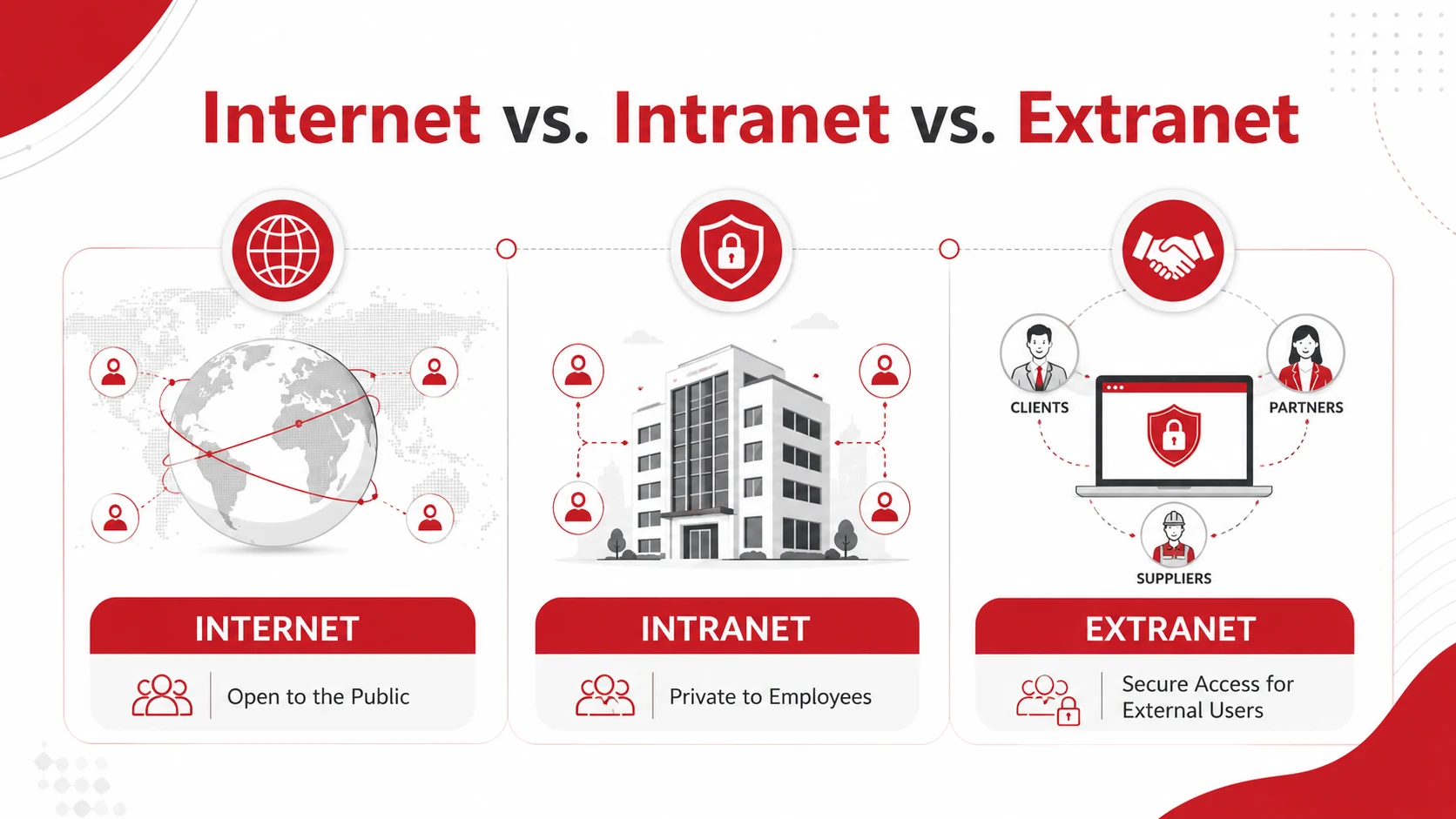
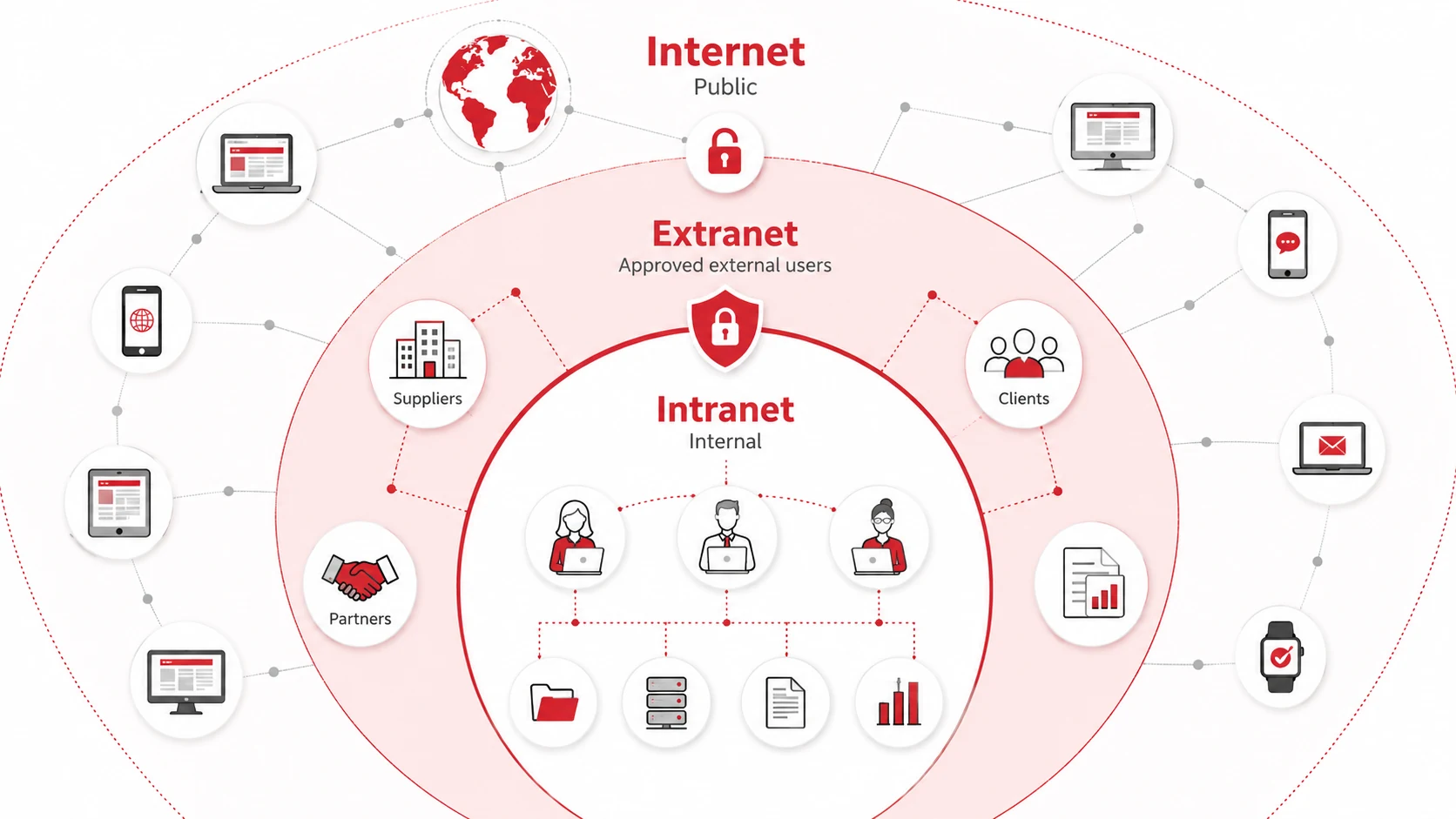
The main difference between the internet, intranet, and extranet is who can access them. The internet is a public network available to anyone with an internet connection. An intranet is a private network used by employees and other authorized internal users. An extranet gives selected external users, such as clients, suppliers, and business partners, controlled access to specific company resources.
Many businesses use all three networks for different communication, collaboration, and information-sharing needs.
Key Takeaways
- The internet is publicly accessible.
- An intranet is restricted to authorized internal users.
- An extranet allows approved external users to access selected resources.
- Intranets and extranets require authentication and access controls.
- Businesses may use all three networks for different purposes.
Internet vs. Intranet vs. Extranet Comparison
|
Feature |
Internet |
Intranet |
Extranet |
|
Access |
Public |
Private |
Private with limited external access |
|
Main users |
General public |
Employees and internal users |
Employees and approved external users |
|
Primary purpose |
Public communication and online services |
Internal communication and operations |
Secure external collaboration |
|
Information shared |
Public information |
Internal or confidential information |
Selected information for trusted parties |
|
Common example |
Public company website |
Employee portal |
Client or supplier portal |
|
Ownership |
No single organization |
One organization |
Usually managed by one organization |
|
Security |
Depends on the website or service |
Controlled through internal security policies |
Controlled through authentication and permissions |
What Is the Internet?
The internet is a worldwide network that connects computers, devices, websites, and online services.
It allows people to access public information, communicate online, use cloud applications, shop, stream content, and complete digital transactions. Public websites, search engines, social media platforms, and online stores are all accessed through the internet.
Businesses commonly use the internet to:
- Publish public websites
- Communicate with customers
- Promote products and services
- Access cloud applications
- Process online transactions
- Support remote communication
Although the internet is publicly accessible, individual websites and applications may still use passwords, encryption, and other security controls.
What Is an Intranet?
An intranet is a private network used within an organization.
It often uses similar technologies to the internet, such as web browsers, servers, and online applications, but access is restricted to authorized internal users. Employees may access the intranet from the workplace or remotely through a secure login or virtual private network.
Common intranet uses include:
- Employee portals
- Internal policies and procedures
- Company announcements
- Training materials
- Shared files and templates
- Staff directories
- Internal applications
- Project management tools
An intranet helps keep internal information organized and available to the people who need it without making it publicly accessible.
What Is an Extranet?
An extranet is a private network that gives selected external users access to specific company information, systems, or applications.
It extends part of an organization’s internal resources to approved third parties without giving them access to the entire intranet.
Extranet users may include:
- Clients
- Suppliers
- Contractors
- Distributors
- Franchisees
- Business partners
Common extranet examples include customer portals, supplier ordering systems, partner workspaces, contractor platforms, and secure document-sharing environments.
Access is usually controlled through user accounts, passwords, permissions, encryption, and activity monitoring.
Key Differences Between the Internet, Intranet, and Extranet
Access
The internet is available to the public. An intranet is limited to authorized internal users. An extranet is also private but gives selected external users access to specific resources.
Users
Anyone with an internet connection can use public internet services.
Intranets are generally used by employees and other authorized members of an organization.
Extranets are used by employees and approved external parties, such as clients, suppliers, and contractors.
Purpose
The internet supports public communication, marketing, information access, and online services.
An intranet supports internal communication, document sharing, and business operations.
An extranet supports controlled collaboration between an organization and trusted external parties.
Security
Internet security varies depending on the website, application, and connection.
Intranets and extranets require stronger access controls because they may contain internal or confidential information. Extranets also require careful permission management because they involve users outside the organization.
Examples of Internet, Intranet, and Extranet Use
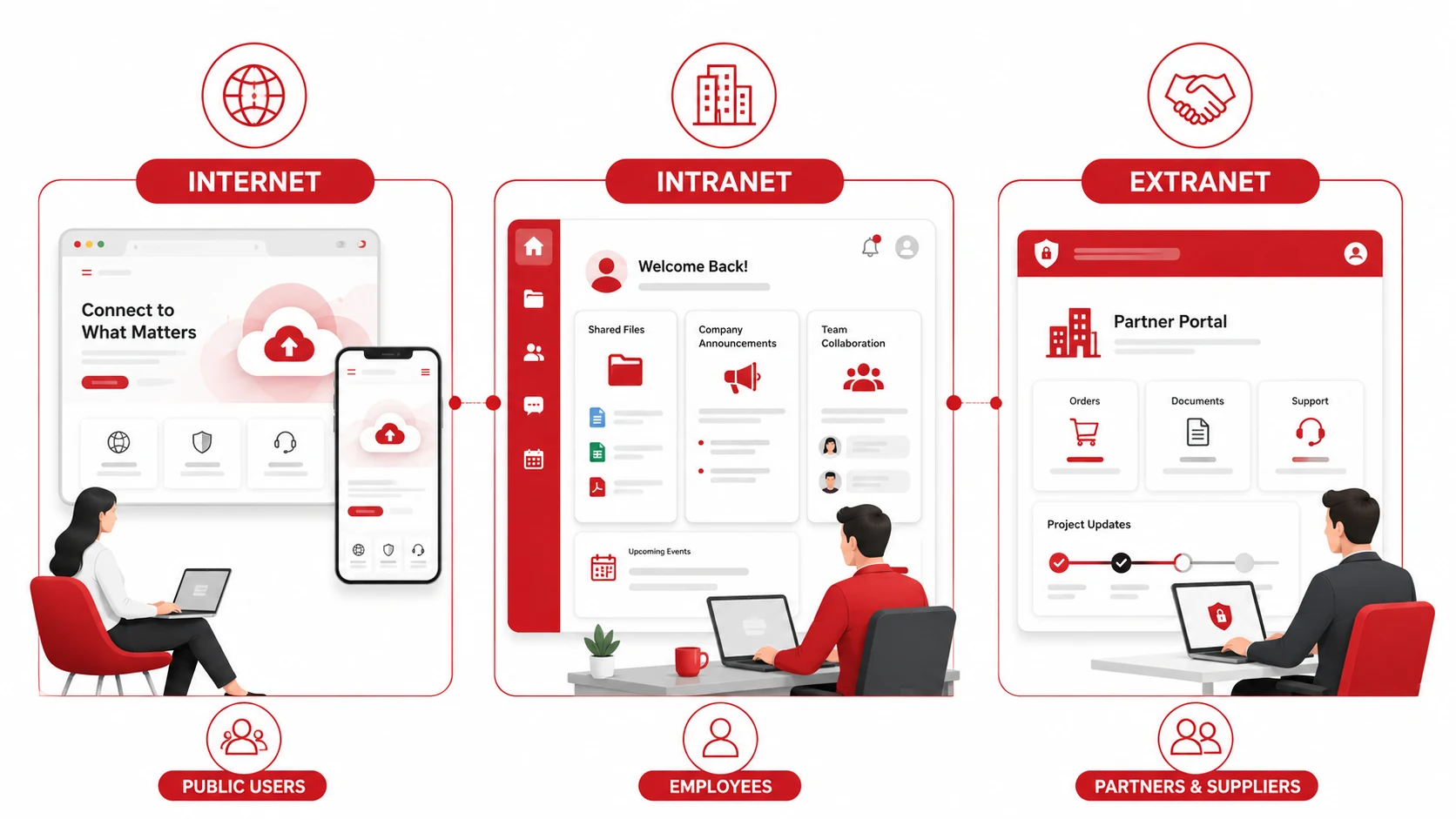
A company may use the internet for its public website, where customers can learn about services, submit enquiries, or make purchases.
The same company may use an intranet where employees can access workplace policies, schedules, training materials, and internal documents.
It may also use an extranet where suppliers can view purchase orders, clients can download project files, or contractors can submit information through a secure portal.
These networks do not necessarily replace one another. Each serves a different audience and access requirement.
How to Choose the Right Network
Use the internet when information or services need to be publicly available.
Use an intranet when employees need private access to internal documents, applications, and company resources.
Use an extranet when clients, suppliers, contractors, or other approved external users need controlled access to selected business information.
The right choice depends on:
- Who needs access
- How sensitive the information is
- What users need to do
- Which security controls are required
- Whether remote access is needed
Many organizations use a combination of all three networks rather than choosing only one.
Need Help Managing Your Business Network?
A secure and reliable network should give users access to the resources they need without exposing sensitive business information.
Professional managed IT services can help your organization design, maintain, monitor, and secure internet, intranet, and extranet environments based on your operational requirements.
Contact Adivi to discuss your network infrastructure and IT support needs.
Conclusion
The internet is designed for public access, an intranet supports private internal activity, and an extranet enables controlled collaboration with approved external users.
The most suitable network depends on the intended users, the type of information being shared, and the level of security required.
Frequently Asked Questions
What is the main difference between the internet, intranet, and extranet?
The internet is publicly accessible. An intranet is a private network for authorized internal users. An extranet provides selected external users with controlled access to specific company resources.
What is an example of an intranet?
An employee portal containing company announcements, workplace policies, training materials, internal documents, and HR applications is an example of an intranet.
What is an example of an extranet?
A secure supplier portal where approved vendors can view orders, submit documents, and update inventory information is an example of an extranet.
Can an intranet or extranet be accessed remotely?
Yes. Authorized users can access an intranet or extranet remotely through secure login systems, encrypted connections, multifactor authentication, or a virtual private network.