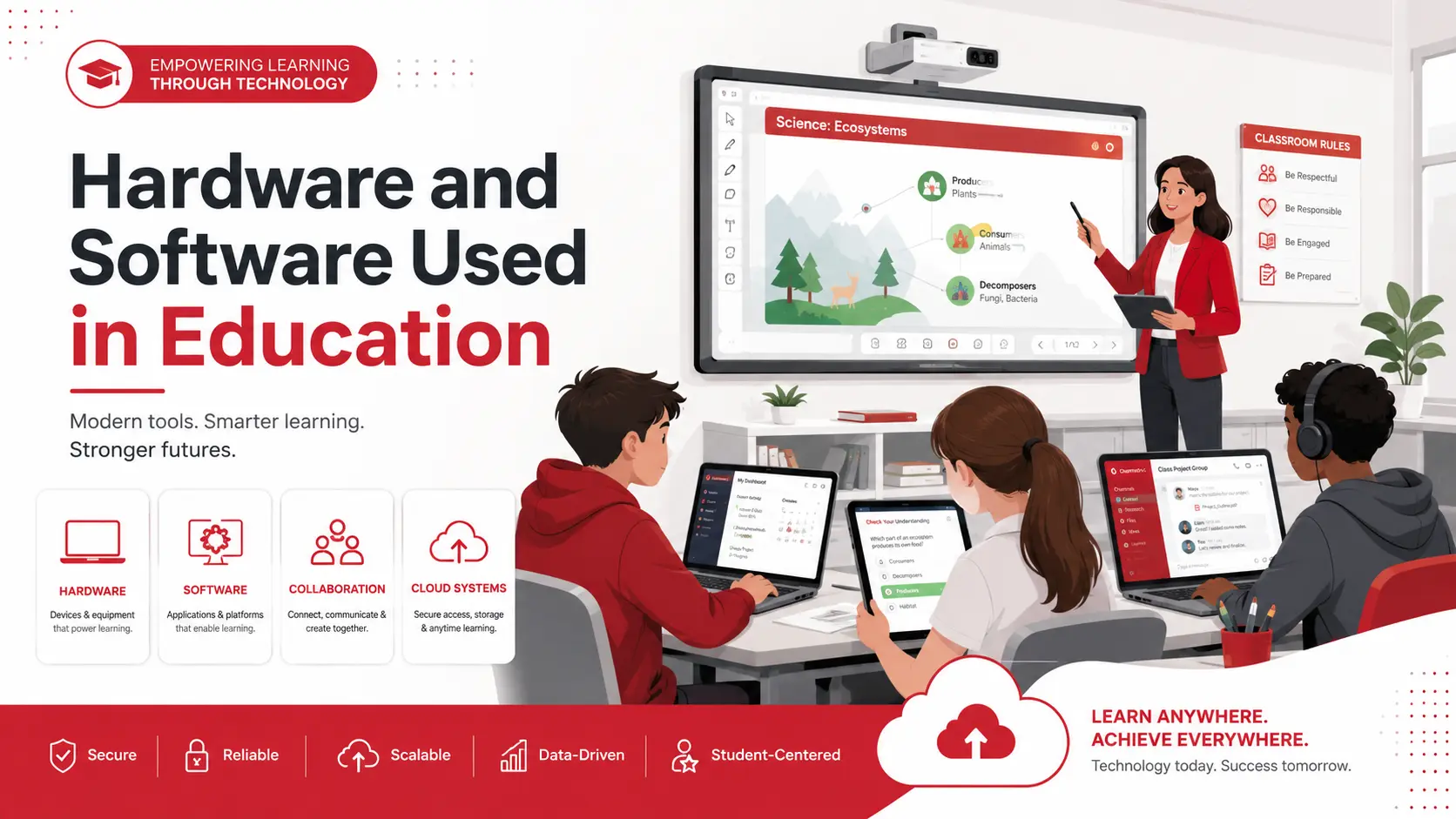
Hardware and software used in education help teachers deliver lessons, manage classrooms, support online learning, and give students access to digital resources. Common hardware includes laptops, tablets, interactive displays, webcams, servers, and assistive devices. Common software includes learning management systems, assessment tools, collaboration platforms, educational applications, and school administration systems.
This guide explains the main types of educational hardware and software, what they are used for, and what schools should consider when choosing technology.
Key Takeaways
- Educational hardware includes the physical devices used for teaching, learning, communication, and administration.
- Educational software includes the programs and platforms that run on those devices.
- Hardware and software must work together to support effective digital learning.
- Schools should consider accessibility, security, compatibility, cost, and technical support before adopting new technology.
Hardware Used in Education
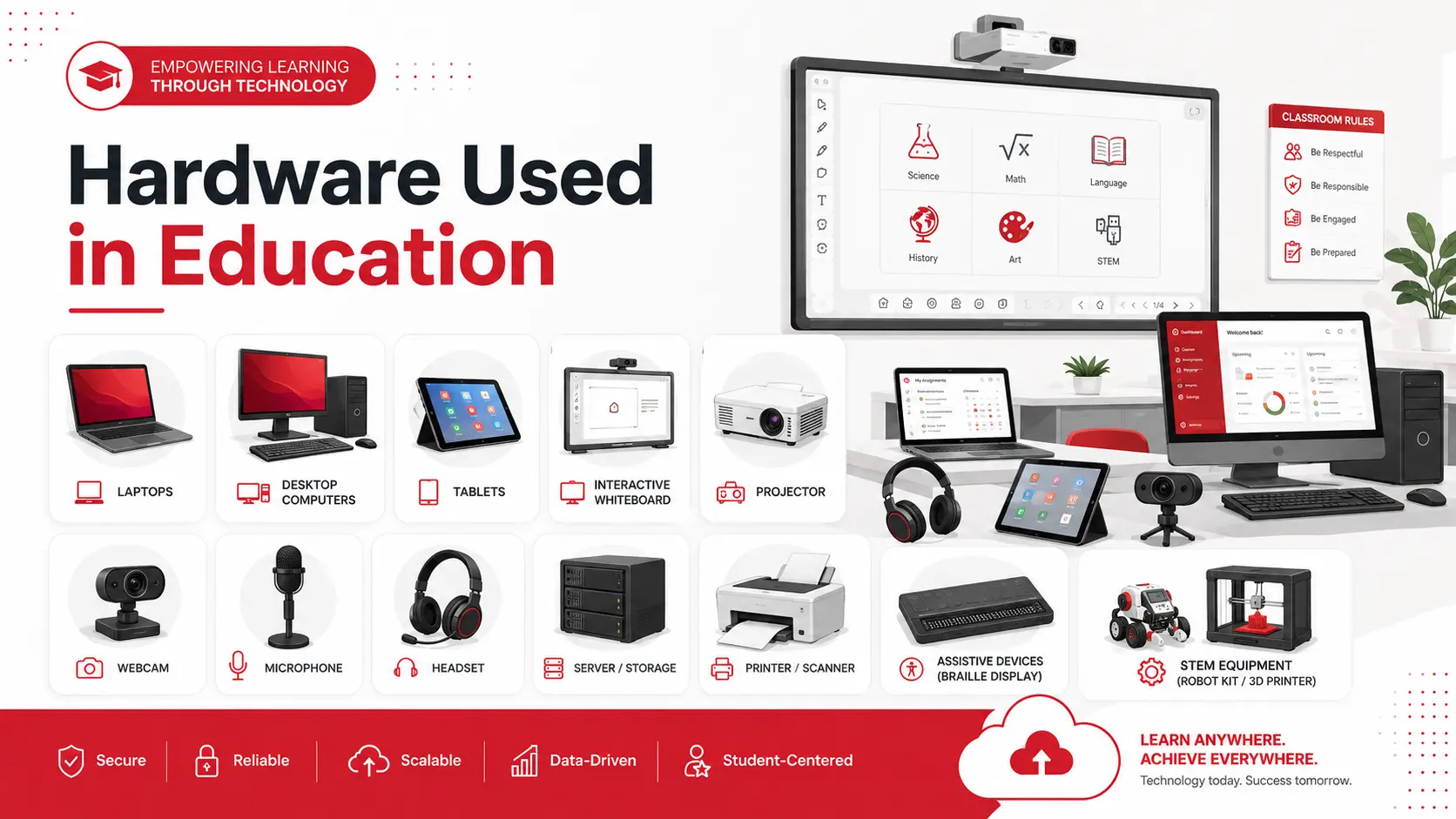
Educational hardware includes the physical devices and infrastructure used by students, teachers, and administrators.
Computers, Laptops, and Tablets
Computers, laptops, and tablets allow students to access learning materials, conduct research, complete assignments, and use educational applications. Teachers also use them to prepare lessons, communicate with students, and manage classroom activities.
Interactive Whiteboards and Displays
Interactive whiteboards and digital displays allow teachers to present videos, diagrams, presentations, and other multimedia content. They can also support demonstrations, group activities, and classroom discussions.
Projectors
Projectors display educational content on a larger screen, making presentations, videos, and visual materials easier for the entire class to view.
Webcams, Microphones, and Headsets
These devices support virtual classes, recorded lessons, video conferencing, and communication between students and teachers during remote or hybrid learning.
Servers and Storage Devices
Servers and storage systems help schools manage student records, educational content, applications, and administrative data. Schools may manage these systems on-site or through cloud-based infrastructure.A tool should not be selected only because it is new or popular.
Printers and Scanners
Although many school processes are now digital, printers and scanners are still used for worksheets, forms, notices, records, and printed learning materials.
Assistive Devices
Assistive hardware may include braille displays, alternative keyboards, hearing devices, and other tools designed to make digital learning more accessible for students with disabilities.
STEM Equipment
Robotics kits, laboratory equipment, coding devices, and 3D printers allow students to apply concepts through practical projects in science, technology, engineering, and mathematics.
Software Used in Education
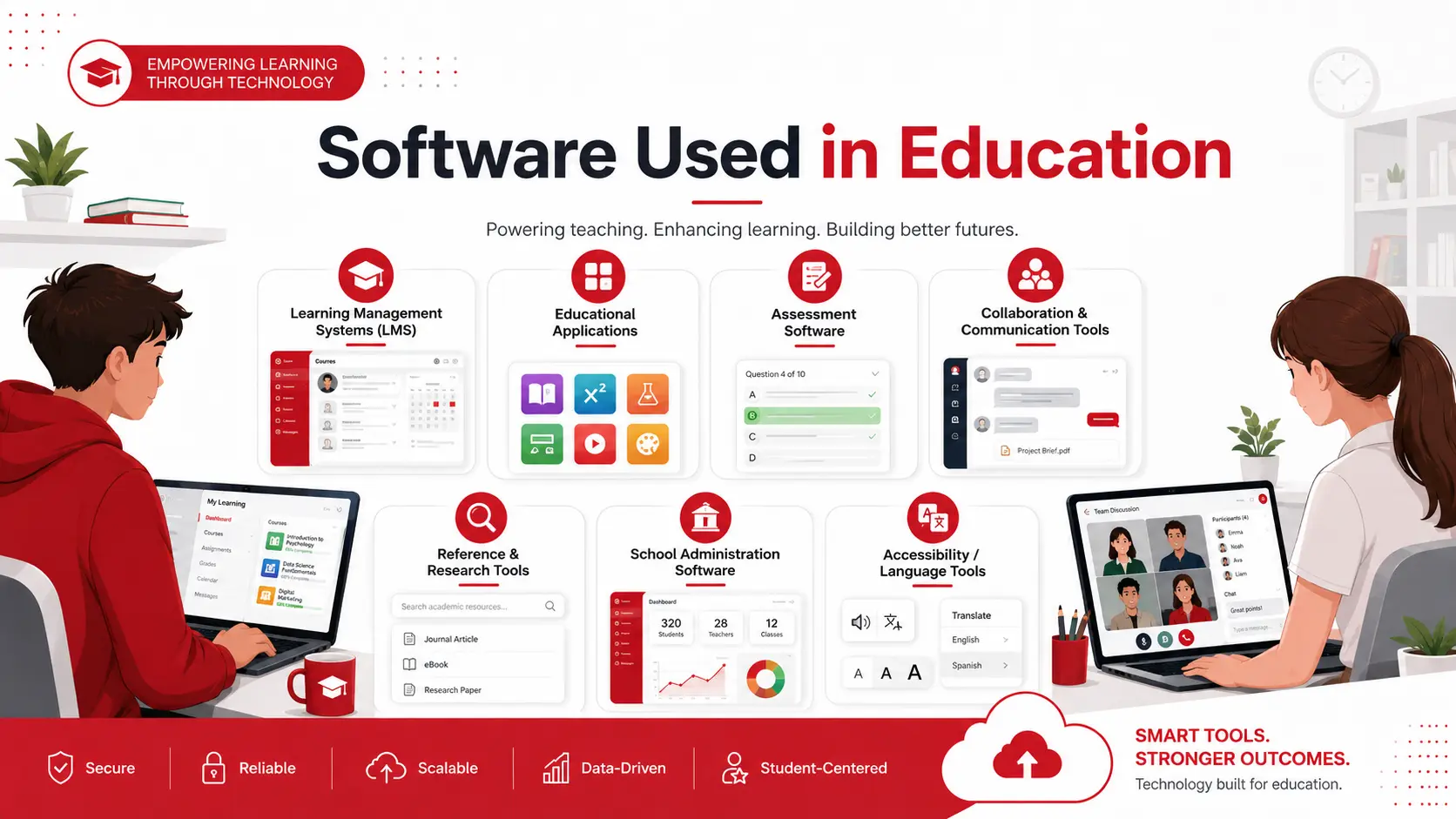
Educational software includes digital platforms and applications used for teaching, learning, communication, assessment, and administration.
Learning Management Systems
A learning management system allows schools to distribute course materials, manage assignments, track progress, collect submissions, and communicate with students.
Educational Applications
Educational applications support activities such as reading, mathematics, language learning, simulations, virtual laboratories, and educational games.
Assessment Software
Assessment tools help teachers create quizzes, exams, and assignments. Some systems can grade responses automatically, provide feedback, and generate reports on student performance.
Collaboration and Communication Tools
Shared documents, messaging platforms, discussion boards, email, and video-conferencing tools allow students and teachers to communicate and work together.
Reference and Research Software
Digital libraries, academic databases, citation tools, and reference platforms help students locate, organize, and use information for assignments and research.
School Administration Software
Administrative systems can manage attendance, schedules, enrollment, grades, student records, parent communication, and other day-to-day school operations.
Accessibility and Language Tools
Screen readers, speech-to-text tools, captions, translation software, and language-support applications can make educational content more accessible to a wider range of learners.
Hardware vs. Software in Education
| Factor | Hardware | Software |
| Definition | Physical devices and equipment | Digital programs and platforms |
| Examples | Laptops, tablets, projectors, servers | LMS platforms, assessment tools, educational apps |
| Main purpose | Provides access to digital learning and school systems | Delivers content, manages information, and supports interaction |
| Maintenance | Requires setup, repair, and replacement | Requires updates, licensing, configuration, and security controls |
Hardware and software depend on each other. For example, a learning management system requires suitable devices, reliable connectivity, and adequate network infrastructure to work effectively.
How Schools Can Choose the Right Technology
Schools should begin by identifying the educational or administrative need the technology is expected to address. Schools should select technology based on a clear educational or administrative need, rather than popularity alone
Important considerations include:
- Compatibility with existing devices and systems
- Accessibility for students and staff
- Data privacy and cybersecurity
- Licensing and long-term costs
- Internet and network requirements
- Staff training
- Maintenance and technical support
- Ability to scale as enrollment or technology needs grow
A small trial or pilot program can help a school identify usability, compatibility, and support issues before introducing a tool more widely.
Challenges of Using Technology in Education
Cost and Access
Devices, software licenses, connectivity, maintenance, and staff training can require significant investment. Unequal access to devices or reliable internet can also affect students’ ability to participate.
Data Privacy and Cybersecurity
Schools store sensitive information, including student records and account details. Strong access controls, software updates, secure backups, staff awareness, and appropriate security policies are important for protecting this data.
Staff Training
Technology is more useful when teachers and administrators understand how to use it confidently. Training should cover both daily use and basic security practices.
Maintenance and Technical Support
Devices can fail, software can become outdated, and network problems can interrupt lessons. Schools need a clear process for updates, troubleshooting, replacement, and ongoing support.
Final Thoughts
Hardware and software are both essential parts of modern education. Hardware provides the devices and infrastructure, while software supports teaching, communication, assessment, administration, and access to learning resources.
The right technology should match the school’s educational goals, existing infrastructure, budget, accessibility needs, and security requirements. Adivi’s managed IT services can help educational organizations plan, support, and protect the systems they rely on.
FAQs
What are examples of hardware used in education?
Examples include laptops, desktop computers, tablets, interactive displays, projectors, webcams, microphones, servers, printers, scanners, and assistive devices.
What are examples of software used in education?
Common examples include learning management systems, educational applications, assessment tools, video-conferencing platforms, collaboration software, and school administration systems.
What is the difference between hardware and software in education?
Hardware refers to physical devices, while software refers to the digital programs that run on those devices. Both are required for most technology-based learning activities.
Why is cybersecurity important in schools?
Schools manage student, employee, financial, and administrative information. Cybersecurity measures help protect this data and reduce disruptions caused by unauthorized access, malware, or system failure.
How should schools choose educational technology?
Schools should consider their learning goals, users, budget, accessibility requirements, existing systems, security needs, technical support, and long-term maintenance costs.