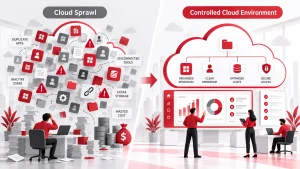
Cloud computing has revolutionized how businesses scale, innovate, and deliver services. But with its flexibility comes a tricky challenge: managing costs. Even seasoned IT teams have faced unexpected bills after overlooking a few fine-print details. This guide breaks down the main pricing models, the most significant cost drivers, and practical ways to cut expenses without sacrificing performance.
Need help implementing these strategies? Partner with Adivi to streamline your cloud costs and unlock smarter IT spending.

Key Takeaways
- Pick the right pricing model to match your workload.
- Watch top cost drivers, such as compute, storage, and data transfer.
- Stop waste: cut idle resources and over-provisioning.
- Save more with right-sizing, automation, and tiered storage.
- Track spending with built-in or third-party cloud tools.
Understanding Cloud Computing Pricing Models
Pay-As-You-Go (PAYG)
You’re billed only for the resources you use hourly or by the second. It’s flexible and ideal for fluctuating workloads. The downside? Without tracking usage, costs can balloon.
Reserved Instances
Commit to 1–3 years and enjoy discounts of 30–70% compared to on-demand rates. Great for predictable workloads. The trade-off is less flexibility if your needs change.
Spot Instances
Cloud providers sell unused capacity at massive discounts (up to 90%). Ideal for short-term, flexible roles such as testing or batch processing. Risk: They can be reclaimed at any time.
Flat-Rate / Subscription Plans
You pay a fixed monthly or annual fee for a set resource bundle. Ideal for budgeting and consistent workloads, though it may not be optimal for fluctuating demand.
Key Factors That Influence Cloud Costs
- Compute Resources: More CPUs and RAM incur higher costs.
- Storage Type & Size: SSDs are faster but pricier than HDDs.
- Data Transfer: Uploading data is often free, but downloading can be costly.
- SLA Level: Higher uptime guarantees mean higher fees.
- Licensing: Some OS, database, or application licenses are billed separately.
- Region: Prices differ between data centre locations.
- Security & Compliance: Encrypted storage, DDoS protection, and compliance audits all add to the bill.
Common Reasons Cloud Bills Spiral Out of Control
- Leaving idle servers running overnight
- Over-provisioning (buying more capacity than needed)
- Forgetting about old backups
- Heavy outbound data transfer
- No automated scaling or shutdown rules
Practical Ways to Save on Cloud Costs
Right-Size Resources
Use monitoring tools to analyze actual usage and adjust resources accordingly.
Mix Reserved & Spot Instances
Combine stable reserved capacity for core workloads with low-cost spot instances for overflow tasks.
Automate Resource Management
Schedule automatic shutdowns for non-production systems during off-hours.
Tier Your Storage
Keep active data on high-speed storage, archive rarely accessed data to cheaper tiers.
Consider Multi-Cloud
Don’t be locked into one vendor, pick the most cost-effective provider per workload.
Tools to Track & Optimize Cloud Spending

- AWS Cost Explorer
- Azure Cost Management
- Google Cloud Billing Reports
- CloudHealth, Cloudability, Datadog for multi-cloud monitoring
Conclusion
Cloud costs don’t have to be unpredictable. By understanding pricing models, tracking usage, and applying strategic cost-saving measures, you can enjoy the scalability of the cloud without overspending.
The key is ongoing monitoring and thoughtful resource planning, as efficiency pays off in the cloud. Let Adivi help you take control with more innovative cloud cost strategies tailored to your business.
FAQ
1. What is the most common cloud pricing model?
The Pay-as-you-go (PAYG) model is the most widely used because it charges based on actual usage, offering flexibility for variable workloads.
2. Why do cloud costs sometimes spike unexpectedly?
Unexpected costs often come from leaving idle resources running, over-provisioning, or high data transfer (egress) charges.
3. How can I lower my monthly cloud bill?
Right-size resources, automate shutdowns for non-critical systems, use reserved or spot instances, and apply tiered storage policies.
4. Are reserved instances worth it?
Yes, if you have predictable workloads. They can save 30–70% compared to on-demand rates.
5. What tools can help track cloud spending?
Popular options include AWS Cost Explorer, Azure Cost Management, Google Cloud Billing Reports, and third-party platforms like CloudHealth