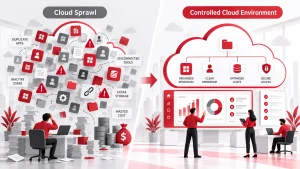
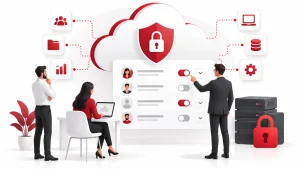
Data Loss Prevention (DLP) is a security approach that keeps confidential or sensitive data from being lost, leaked, or accessed by the wrong people. This includes personal customer data, financial records, medical files, legal documents, and business strategies.
DLP isn’t just about locking files in a digital vault. It involves monitoring, identifying, and controlling how your data is used and moved, whether emailed, copied to a USB drive, uploaded to the cloud, or shared through chat apps.
Every industry needs this. Banks use it to protect account information. Healthcare providers use it to keep medical records secure. Online stores use it to protect customer credit card details. Without it, you expose valuable data to accidents, theft, or even legal trouble.
Common Causes of Data Breaches Without Proper Data Loss Prevention
You don’t always need a hacker for a data breach. Many problems start inside the business. Here are some of the most common causes:
- Human Error: One of the top reasons data gets lost is employees deleting files by mistake or sending private information to the wrong contact.
- Insider Threats: A frustrated employee could purposely leak data. Or someone might unknowingly expose data due to poor training.
- Phishing and Malware: Clicking a fake link in an email can install malware, giving criminals a backdoor to your systems.
- Unstable Systems: Software bugs, unpatched programs, or server crashes can cause significant data losses in seconds.
- Weak Encryption and Access Control: Professional cybersecurity services can strengthen encryption and access controls to reduce unauthorized access to sensitive files.
Core Components of a Successful Data Loss Prevention Strategy
A strong DLP strategy protects three types of data:
- Data in Use: This is information being worked on—open documents, active databases, or edited files.
- Data in Motion: This is data that’s being transferred through email, shared drives, messaging apps, or cloud syncs.
- Data at Rest: This includes archived data stored on servers, hard drives, or backups.
A good strategy involves:
- Monitoring and Classifying Data: Tag files by sensitivity level. Know what’s highly confidential and what’s safe to share.
- Access Control: Only allow access to people who truly need it. Set role-based permissions.
- Policy Enforcement: Block or flag any activity that breaks your data security rules.
- Real-Time Alerts: Catch risks as they happen and take fast action.
How Data Loss Prevention Tools Work to Safeguard Information
DLP software works behind the scenes to protect your data without slowing things down.
These tools can:
- Scan documents, emails, and databases for patterns like credit card numbers or medical codes
- Tag and classify sensitive files automatically
- Block or restrict actions like uploading a document with personal data to an unauthorized cloud app
- Alert your IT team if something looks risky or breaks the rules
They don’t work alone. DLP tools are usually integrated with:
- Email servers like Outlook or Gmail
- Cloud apps such as Google Drive, Dropbox, or Salesforce
- Endpoints like employee laptops, phones, and USB ports
- Storage systems—both local and online
Popular software includes Microsoft Purview DLP, Symantec DLP, Forcepoint, and Trend Micro. Each has strengths, but all help reduce the chance of leaks and data mishandling.
Best Practices for Implementing Data Loss Prevention Across Your Organization
Rolling out DLP across your business doesn’t need to be complex. But it does need to be planned.
Here’s what works:
Map Your Data
Start by understanding exactly what data your organization collects and where it lives. Identify sensitive information- personal details, financial records, or client files—and map out how it flows across systems, devices, and departments. This includes knowing who has access to it and how it’s being shared internally and externally. Without this visibility, you can’t apply effective protection measures.
Build Policies With the Right People
Developing your DLP policies should not be left to IT alone. Involve HR, Legal, Compliance, and department heads. Each team brings a unique understanding of the data they handle and the risks tied to it. Collaborating ensures that your policies are practical and comprehensive, covering real-world use cases instead of theoretical scenarios.
Train Employees to Handle Data Responsibly
Technology alone can’t prevent data loss. People need to know how to handle data safely. Training should be clear, simple, and ongoing. Explain what types of data are sensitive, how to store and share them, and what to do if something goes wrong. Reinforce that everyone has a role in protecting information, whether in sales, finance, or support.
Focus on High-Risk Areas First
Don’t try to secure everything at once. Begin with the highest risk areas, such as customer databases, financial systems, or proprietary documents. Protecting these areas first gives you early wins and a solid foundation. Once your most sensitive data is secure, you can expand the strategy across other departments or systems.
Monitor, Review, and Adjust Regularly
A DLP strategy isn’t static. Your business will change, and so will the risks. Set a regular schedule to review your DLP policies and system performance. Track incidents, evaluate where new vulnerabilities may appear, and make adjustments as needed. Staying proactive ensures your policies remain relevant and practical over time.
Data Loss Prevention in the Cloud: Securing Remote and Hybrid Workforces
Work-from-home setups are standard now, but they come with more data risk. Files are saved on personal devices, emails are sent through unsecured networks, and people use apps outside the company’s control.
Cloud-based DLP steps in here. It lets you:
- Track and limit access to cloud apps
- Block uploads of sensitive files
- Protect emails sent from personal accounts
- Detect unusual login behavior from remote locations
CASBs (Cloud Access Security Brokers) add another layer. They act as checkpoints between your users and cloud services like Google Workspace or Microsoft 365.
DLP also helps manage BYOD risks. If staff use their own devices, you can still enforce limits on what they can store or send.
Regulatory Compliance and the Role of Data Loss Prevention
Compliance laws protect people’s data. If you collect names, emails, credit card numbers, or health information, you are responsible for keeping it safe.
Key regulations include:
- GDPR (Europe): Covers personal data of EU residents
- HIPAA (US): Applies to healthcare providers and patient info
- PCI-DSS: For anyone handling credit card data
- CCPA: California’s consumer privacy law
DLP helps by:
- Keeping logs of data movement
- Making sure data stays in approved locations
- Flagging and reporting unauthorized access
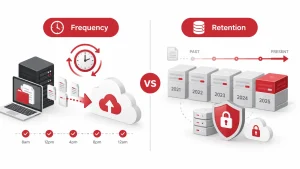
Data Loss Prevention vs Data Backup: What’s the Difference?
They sound similar but serve different goals.
- DLP helps prevent data loss by acting in real time to prevent mistakes, leaks, and theft.
- Backup is what you turn to after something goes wrong. A reliable data backup and disaster recovery solution helps you recover lost files after an incident.
Let’s say an employee deletes a report by accident. If you have a backup, you can restore it. But if someone emails that report to a competitor, backup won’t help—you needed DLP for that.
Both systems work best when used together.
Signs Your Business Needs a Stronger Data Loss Prevention Policy
Some businesses don’t realize their data protection falls short until something goes wrong. If any of the following situations apply to you, it may be time to revisit your DLP policies and strengthen your approach.
1. You’ve Had a Recent Incident
Even if it didn’t make headlines, a data scare, near-miss, or minor leak is a clear warning. These moments often reveal gaps in your current systems or employee awareness.
2. Your Company Is Growing Fast
Adding new employees, devices, or tools creates more access points to sensitive data. Without strong policies, growth can quickly outpace your ability to control risk.
3. Your Team Lacks Data Awareness
Mistakes will happen if employees don’t understand what counts as sensitive data or how to handle it. Lack of training or unclear rules often lead to unintentional leaks.
4. You’re Facing Compliance Requirements
New contracts, partnerships, or industry regulations may require clear evidence of data protection. You’re exposed if your current setup can’t support audits or legal requests.
5. You Have a Remote or Hybrid Workforce
Risk increases when employees use personal laptops, phones, or cloud accounts to access business data. Without a clear DLP policy, tracking and protecting information outside your office walls becomes harder.
Future Trends in Data Loss Prevention Technology
DLP is moving beyond rule-based systems as emerging cybersecurity trends such as AI-powered detection, behavior analytics, and zero trust reshape how businesses protect sensitive data. Here’s where it’s heading:
- AI-powered detection: Tools will learn from behavior to spot threats before rules are broken
- Behavior analytics: More systems will track user patterns to flag suspicious activity from insiders
- Zero trust integration: Every request to access data will be verified, regardless of device or location
- Real-time protection on mobile and edge devices: Phones, tablets, and smart devices will get better coverage
These changes make DLP smarter, faster, and more adaptable to how modern businesses actually work.
Conclusion
Protecting your data isn’t just about using the right tools. It also requires building a workplace where everyone has a role in keeping information secure. That means raising awareness, setting clear expectations, and helping your team understand the risks.
Start by making data protection a shared responsibility across all departments. Offer practical training that shows employees how to handle sensitive information and how to respond when something goes wrong. Monitor how well your policies work, and make changes as your business grows or new risks appear.
When people are informed, prepared, and involved, your company becomes much harder to compromise. DLP is not a one-time fix. It’s a long-term habit that takes commitment.
If you want to strengthen your foundation, Adivi offers expert-led data protection, backup, and disaster recovery services to help secure your business against threats and mistakes. Whether you’re starting from scratch or upgrading your current setup, Adivi can guide you through it.
Frequently Asked Questions
What does DLP stand for?
DLP stands for Data Loss Prevention. It helps protect sensitive data from being leaked, stolen, or deleted.
Can DLP stop all data breaches?
No system is perfect, but DLP significantly lowers the chances of data loss by catching problems early.
Do I need DLP if I already have antivirus software?
Yes. Antivirus software protects against malware. DLP protects the data itself from being misused or sent to the wrong place.
Does DLP work with cloud apps like Google Drive or Microsoft 365?
Yes. Most modern DLP tools are built to integrate with major cloud platforms and email systems.
Can DLP protect data on phones or tablets?
Many DLP tools now offer mobile coverage, especially for businesses with bring-your-own-device (BYOD) policies.
How does DLP help with compliance?
It helps you monitor, log, and control sensitive data to meet GDPR, HIPAA, and PCI-DSS requirements.
How long does it take to set up a DLP system?
That depends on the size of your business. A small company may take a few weeks. Larger setups could take months.
What’s the difference between encryption and DLP?
Encryption hides data using code. DLP manages who can access it and how it’s used—even if it’s encrypted.
Can DLP tools be customized?
Yes. You can set rules based on your needs—by file type, department, data category, or user role.
Do I need both DLP and backups?
Yes. DLP stops leaks and misuse. Backups help you recover from accidents, outages, or attacks.