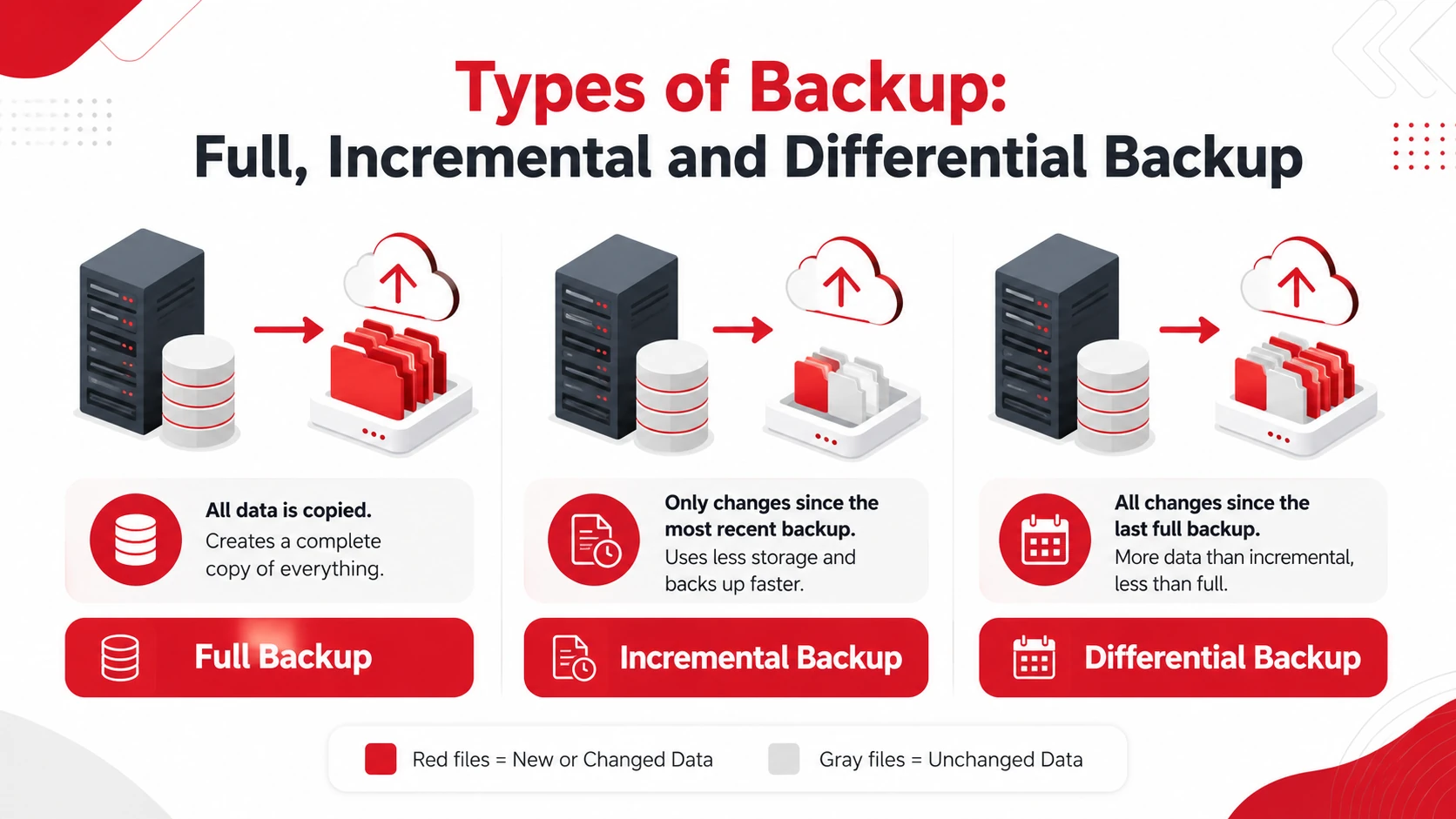
 Full, incremental, and differential backups are three common methods businesses use to protect their data. A full backup copies all selected data, an incremental backup saves changes made since the most recent backup, and a differential backup saves all changes made since the last full backup.
Full backups are generally easier to restore but require more time and storage. Incremental backups are faster and more storage-efficient, while differential backups balance storage use with a simpler recovery process.
Takeaways
- Full backups create a complete copy of selected data.
- Incremental backups save only changes made since the latest backup.
- Differential backups save all changes made since the latest full backup.
- Many businesses combine more than one backup method.
Full Backup
A full backup creates a complete copy of all selected files, folders, applications, or systems at a particular point in time. It often serves as the starting point for an incremental or differential backup schedule.
Advantages of Full Backups:
- Simpler recovery: All backed-up data can be restored from one complete backup set.
- Straightforward management: The process does not depend on a chain of earlier incremental backups.
Disadvantages of Full Backups:
- Longer backup time: Copying an entire data set can take considerable time.
- Higher storage requirements: Repeated full backups use more storage than incremental or differential methods.
Full backups are most suitable when the amount of data is manageable and straightforward recovery is more important than backup speed or storage efficiency.
Incremental Backup
An incremental backup saves only the data that has changed since the most recent backup, whether that was a full or another incremental backup.
Because less data is copied during each backup, incremental backups can be completed more frequently while using less storage.
Advantages of Incremental Backups
- Faster Restore Than Incremental: Restoration from differential backups is typically quicker than incremental backups. To restore data, you only need the last full backup and the most recent differential backup, regardless of how many days have passed since the full backup.
- Less Space Than Full Backup: Differential backups use less storage space compared to performing full backups every time, as they only store changes since the last full backup.
Disadvantages of Incremental Backups
- Longer recovery process: Restoration may require the latest full backup and every incremental backup created afterward.
- Dependent backup chain: A missing or damaged incremental backup can affect recovery.
Incremental Backup Example
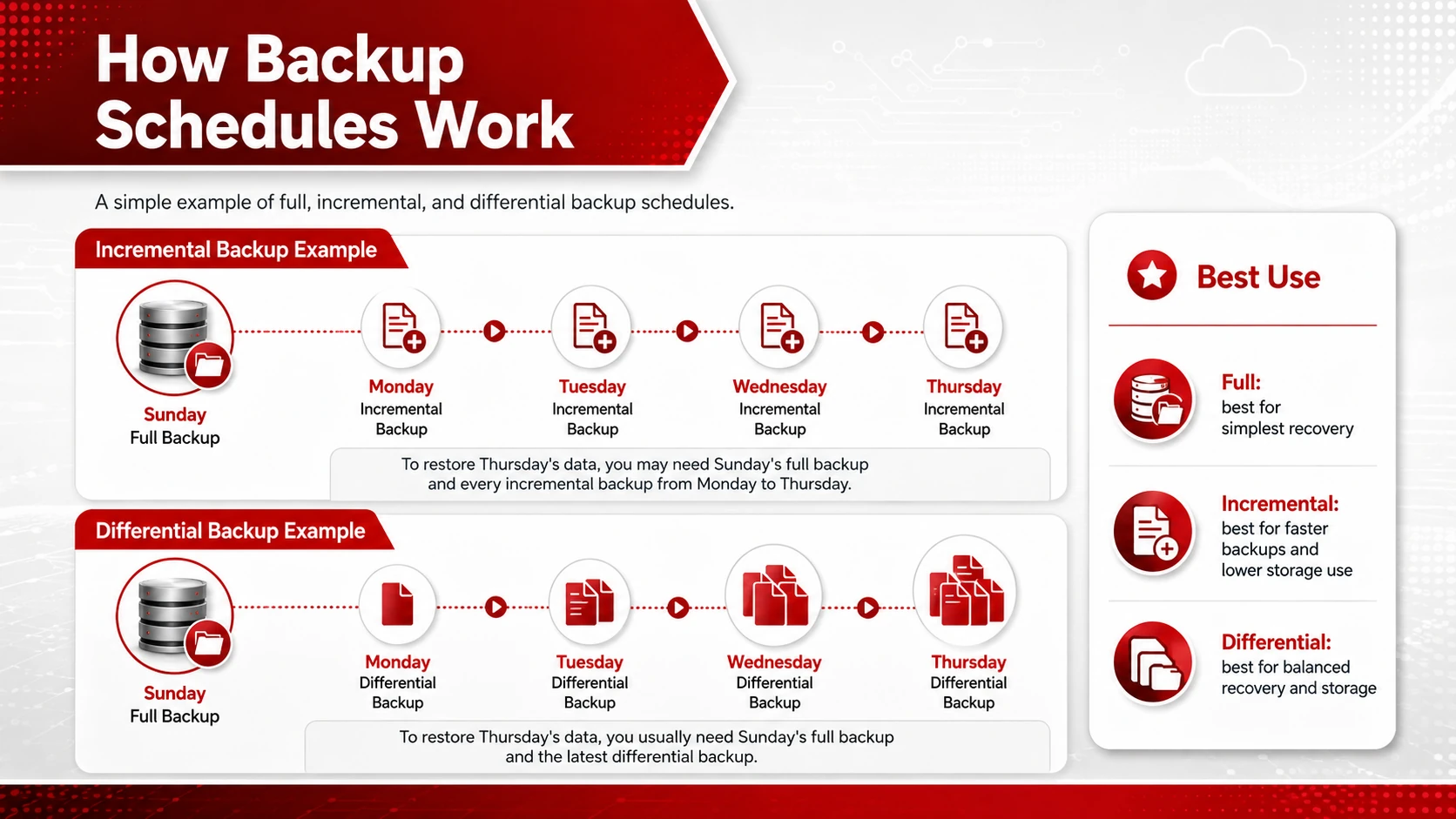
Suppose a business performs a full backup on Sunday and incremental backups from Monday through Thursday. To restore the data as it appeared on Thursday, the business may need Sunday’s full backup and each incremental backup created from Monday through Thursday.
Incremental backups are useful when data changes frequently or the available backup window is limited.
Differential Backup
A differential backup saves all data that has changed since the most recent full backup. Unlike an incremental backup, it does not use the previous differential backup as its starting point.
Each differential backup usually becomes larger as more data changes between full backups.
Advantages of Differential Backups
- Faster recovery than incremental backup: Restoration normally requires the latest full backup and the most recent differential backup.
- Lower storage use than repeated full backups: Only changes since the last full backup are copied.
Disadvantages of Differential Backups
- Higher storage use than incremental backup: Each backup includes all changes accumulated since the latest full backup.
- Increasing backup time: Differential backups may take longer as the amount of changed data grows.
Differential backups are useful when a business wants a simpler recovery process than incremental backup without performing frequent full backups.
Comparing Full, Incremental and Differential Backups
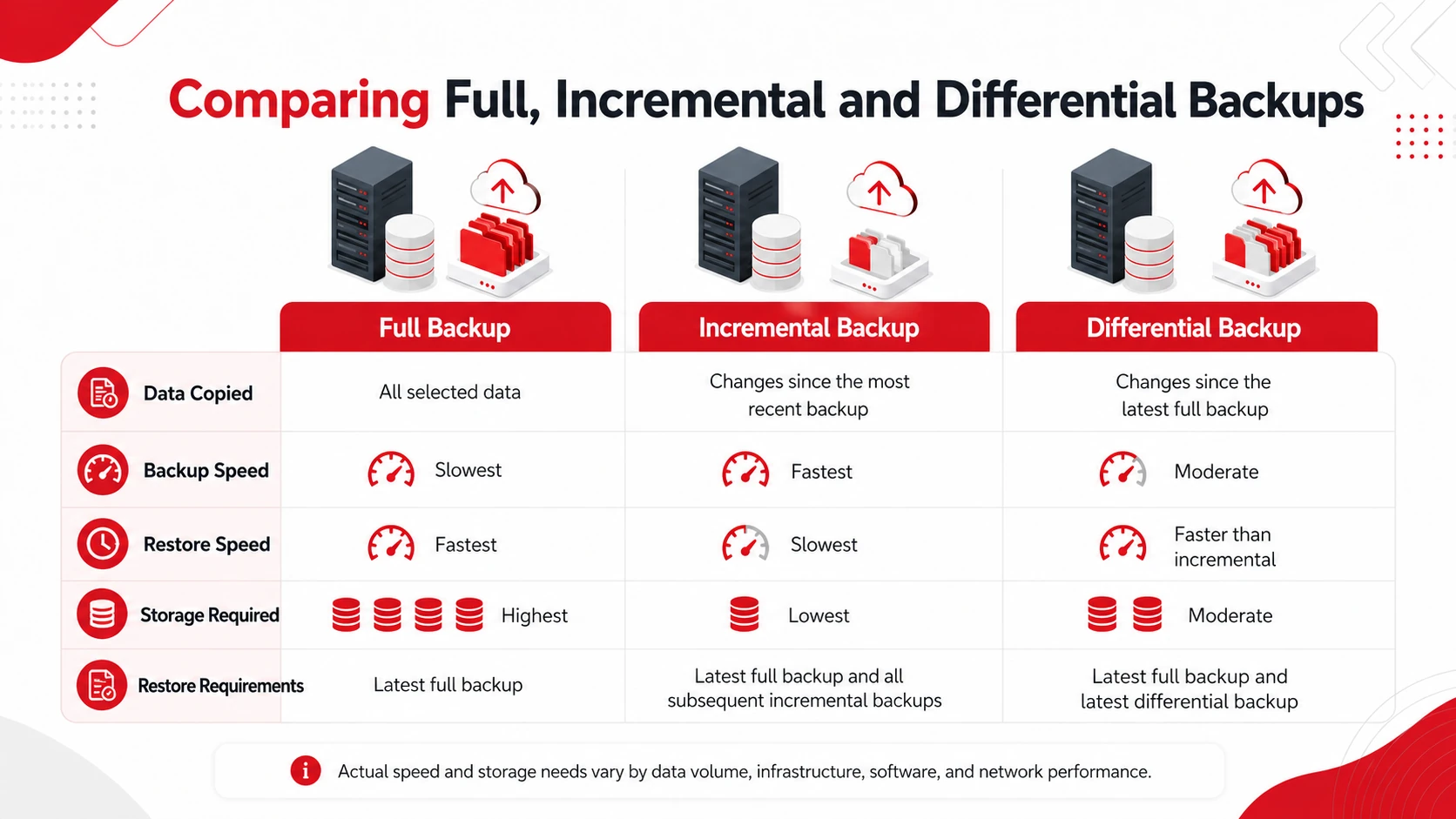
|
Backup Type |
Data Copied |
Backup Speed |
Restore Speed |
Storage Required |
Restore Requirements |
|
Full backup |
All selected data |
Slowest |
Fastest |
Highest |
Latest full backup |
|
Incremental backup |
Changes since the most recent backup |
Fastest |
Slowest |
Lowest |
Latest full backup and all subsequent incremental backups |
|
Differential backup |
Changes since the latest full backup |
Moderate |
Faster than incremental |
Moderate |
Latest full backup and latest differential backup |
The exact speed and storage requirements will vary according to data volume, infrastructure, software, and network performance.
Which Backup Type Should You Choose?
- Choose a full backup when straightforward and faster restoration is the priority and sufficient storage is available.
- Choose an incremental backup when frequent backups, shorter backup windows, and lower storage use are priorities.
- Choose a differential backup when you want a balance between storage efficiency and simpler restoration.
Many businesses use periodic full backups with incremental or differential backups between them. The right approach depends on how frequently data changes, how quickly it must be recovered, and how much storage is available.
Final Thoughts
Full, incremental, and differential backups each offer a different balance of backup time, storage use, and recovery speed. Full backups provide a complete restore point, incremental backups reduce daily storage requirements, and differential backups offer a middle ground between the two.
A reliable backup strategy may combine multiple methods based on the business’s data volume and recovery requirements, and Champaign backup and disaster recovery services can help organizations build an approach suited to their systems and operational needs. Adivi’s data backup and disaster recovery services can help businesses develop a backup approach suited to their systems and operational needs.
FAQs
What are the three main types of backup?
The three main types are full, incremental, and differential backups. A full backup copies all selected data, an incremental backup copies changes since the most recent backup, and a differential backup copies changes since the latest full backup.
Which type of backup is best?
There is no single best method for every business. Full backups simplify restoration, incremental backups reduce storage use and backup time, and differential backups balance storage efficiency with faster recovery.
Can a business use more than one backup type?
Yes. Many businesses perform full backups periodically and use incremental or differential backups between them.
What is an example of a full backup?
A business may perform a full backup every Sunday by copying all selected files and systems to secure local or cloud storage. This creates a complete restore point for that date.