Data has value only when it’s shared, synchronized, and searchable. If you’re storing information in isolated systems, you’re not unlocking its full potential. Data silos block teamwork, slow down backup procedures, and make recovery more complicated than it should be. They don’t always make themselves known right away. Often, they hide behind familiar routines, outdated processes, and software that was never meant to work with anything else.
It’s time to examine where your data lives and ask: Is everything working together or falling apart? The answer affects more than just IT—it shapes how your business grows, protects itself, and adapts to change.
What Are Data Silos?
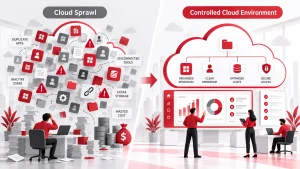
A data silo is a group of information that’s only visible to one team or tool. For example, marketing analytics are locked in one dashboard, while sales have their own system. No one’s talking.
These silos appear when teams use legacy software, build workflows without IT oversight, or fail to connect systems properly. New departments may develop their tech stacks in fast-growing companies without a centralized plan, creating isolated systems that don’t communicate over time.
You might have customer support using one CRM, finance running reports from another tool, and HR managing employee data in spreadsheets. It may seem manageable initially, but as data grows and decisions rely on accuracy, those divisions become costly barriers.
Why Data Silos Are a Serious Business Risk
You pay the price when your systems don’t speak the same language.
Misaligned Strategy and Poor Decisions
You base decisions on partial or inconsistent data, leading to poor outcomes. Your strategic planning falters because teams aren’t aligned on the same metrics.
Disconnected Customer Experience
Customers feel the gap through repetitive requests, miscommunication, and slow service.
Delays and Inefficiencies
Projects stall because no one has the whole picture or shared context. Even if your team is doing its best, it’s working with incomplete information, which limits what it can achieve.
How Data Silos Disrupt Backup and Disaster Recovery
You can’t back up what you can’t see. Data silos complicate every part of your recovery strategy. Here’s how:
- Some files get backed up while others are left out entirely.
- Necessary information might live in places no one tracks or remembers during a crisis.
- Recovery becomes slower and less reliable because systems are fragmented.
Even reliable backup tools cannot catch data locked inside disconnected apps or systems. That’s why unified, automated backup processes are so important.
Common Signs You’re Dealing with Data Silos
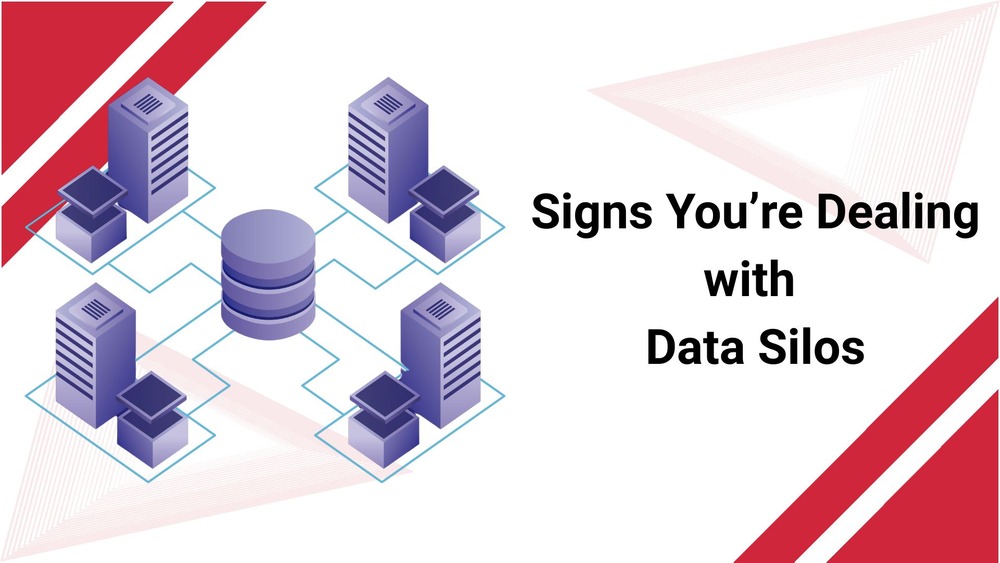
- Teams work in different apps that don’t sync or share data
- Backup logs don’t match real-time data usage
- You need multiple steps or manual work to complete the restore
- Team members duplicate work because they don’t know what’s already been done
- Reports vary depending on which department generated them
Long-Term Effects of Ignoring Data Silos
Left unchecked, silos don’t just stay in one corner-they grow. Over time, they can:
Compliance Gaps and Audit Failures
When departments work in isolation, records become inconsistent. This makes it difficult to meet regulatory standards, increasing the chance of audit issues and financial penalties over time.
Operational Inefficiency
Disjointed systems lead to duplicated tasks and higher IT maintenance costs. Teams spend more time resolving data conflicts and less time creating value.
Stalled Growth and Delayed Projects
Data silos make it harder to scale your operations. Integration becomes more complex and expensive later, especially when systems aren’t designed to communicate.
How to Break Down Data Silos in Your Organization
Here’s what you can do to start fixing the issue:
- Start by reviewing what tools you use and where data lives. Make an inventory.
- Integrate or replace systems that don’t talk to each other. Look for platforms with open APIs.
- Set company-wide rules for data storage, naming conventions, and backup processes.
- Train teams on the importance of data consistency and collaboration.
Benefits of Solving the Data Silo Problem

Faster Recovery from Outages
When your data is centralized, backups cover everything, not just a portion of your systems. Recovery becomes smoother, faster, and more complete. Teams aren’t left guessing where files live or which version is current. Quick access to accurate data can be the difference between hours and days of downtime in high-pressure situations like outages or cyberattacks.
Improved Team Alignment
Silos create confusion. But with unified access, your teams stay informed and synced. No more sending spreadsheets back and forth or relying on conflicting reports. Everyone works from the same foundation, reducing errors and helping cross-functional teams move faster.
More transparent Reporting and Smarter Strategy
Unifying data helps your reporting become consistent and dependable. You’ll see trends faster, uncover hidden opportunities, and avoid making decisions based on incomplete information. This translates into stronger planning, more accurate forecasts, and better business outcomes.
Better Security and Incident Response
Disconnected systems often delay security alerts or cause gaps in monitoring. Centralized data management means alerts flow through the proper channels instantly. Your team can detect threats earlier and respond with a complete picture of what’s affected, before things escalate.
More Time for Innovation
When you’re not wasting time fixing errors, patching integrations, or merging duplicate records, your team can focus on what really matters: innovation, product improvement, and strategic planning. Unified data clears the noise and gives your people the space to think forward.
How Adivi Supports Unified Data Management
Adivi helps organizations gather and store data from scattered systems in a unified data warehouse. Their process goes beyond architecture; it includes cleaning, combining, and organizing data from multiple tools so that it can be used.
You get complete visibility and confidence that your business works from updated, accurate information. This structure improves performance and analytics and strengthens your ability to adapt and grow.
Choosing the right combination depends on your goals, team size, and current infrastructure.
Conclusion
Fixing your data silos isn’t a side project. Protecting your business and keeping it running during a crisis is essential. Whether you’re dealing with a ransomware attack, system failure, or data breach, unified systems help you respond faster and smarter.
Start evaluating your current backup setup. Is it touching every system, or just a few? If the answer isn’t clear, visit Adivi and learn how to make your recovery strategy smarter and more complete.
FAQs
Does encryption slow down my backup speed?
Not with modern backup tools. Most use fast, hardware-based encryption that doesn’t impact performance.
Can cloud backups help with silos?
Yes. They centralize your data, making it easier to manage and recover.
What’s the biggest cause of data silos?
Different departments are using separate tools without integration.
Is manual backup safe?
Manual methods are risky and often miss critical updates. Automation is safer.
How often should I audit my backup systems?
Quarterly audits are a good start. Update more often if you change systems frequently.
Can I still use legacy tools and avoid silos?
Yes, but only if you connect them through APIs or integration platforms.
What’s the best way to detect a data silo?
Check if different teams are reporting different numbers for the same metrics.
Will consolidating systems affect performance?
Usually, it improves it. You reduce duplication and cut down on delays.
How do I start solving this without disrupting work?
Begin with one department. Improve its data flows and backup setup, then move to the next.