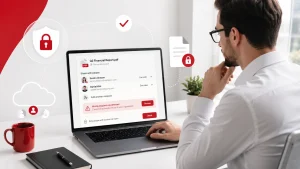
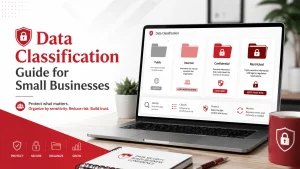
In today’s digital age, email remains one of the most critical communication tools for businesses. Yet, it’s also one of the most vulnerable. Cybercriminals constantly exploit email systems to spread malware, phishing attacks, ransomware, and data breaches.
For businesses, a single compromised email account can lead to financial loss, reputational damage, and regulatory penalties. This is where email security solutions come into play, ensuring that your business communication stays safe and private.
Key Takeaways
- Email remains a primary target for cyber threats.
- Comprehensive email security solutions combine filtering, encryption, authentication, and monitoring.
- Employee awareness and adherence to security best practices are crucial.
- Regular backups and updates minimize risk and ensure business continuity.
Why Email Security Matters
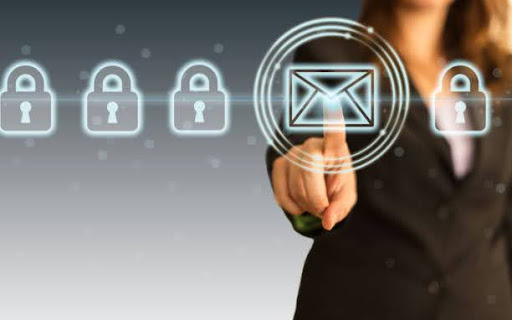
Email is a prime target for cyberattacks because it often contains sensitive information financial data, customer information, and internal communications. Without proper security measures, businesses risk:
- Phishing attacks: Fake emails that trick employees into revealing sensitive information.
- Malware and ransomware: Malicious attachments or links that can compromise your network.
- Data leaks: Accidental or malicious exposure of confidential information.
- Business disruption: Downtime caused by compromised email systems can halt operations.
Key Email Security Solutions for Businesses
- Spam and Phishing Filters
Advanced filters automatically detect and quarantine suspicious emails, preventing phishing attempts and spam from reaching employees’ inboxes. - Email Encryption
Encrypting emails ensures that only the intended recipient can read the content. This is especially critical for sensitive communications like financial transactions or personal data. - Multi-Factor Authentication (MFA)
MFA adds an extra layer of security by requiring a second form of verification, such as a code sent to a mobile device, making unauthorized access much harder. - Anti-Malware and Anti-Virus Protection
Scanning emails for malware and viruses prevents malicious attachments or links from infecting your network. - Data Loss Prevention (DLP)
DLP tools monitor outgoing emails and attachments to prevent sensitive information from leaving the organization accidentally or maliciously. - Email Backup Solutions
Regular backups ensure that even if an email account is compromised or data is lost, you can restore communication quickly.
Best Practices for Employees
- Never click on links or download attachments from unknown senders.
- Use strong, unique passwords for business email accounts.
- Verify unexpected requests for sensitive information through alternative channels.
- Keep software and security systems updated.
Conclusion
Protecting your business communication starts with robust email security solutions. From encryption and phishing detection to backups and employee training, these measures safeguard your business from cyber threats, ensuring secure and reliable communication.
Implementing a layered approach to email security not only protects your data but also strengthens trust with clients, partners, and employees. Learn more with Adivi.
FAQs
What is the difference between spam filtering and anti-phishing?
Spam filters block unwanted or irrelevant emails, while anti-phishing tools specifically detect fraudulent emails designed to steal sensitive information.
Is email encryption necessary for all businesses?
While all businesses benefit from encryption, it’s especially important for organizations handling sensitive data, such as financial or personal customer information.
Can email security solutions prevent ransomware attacks?
Yes, solutions that include malware scanning, phishing detection, and employee awareness training significantly reduce the risk of ransomware infections via email.
How often should email systems be backed up?
Ideally, email systems should be backed up daily, or in real-time, depending on the volume of communications and the sensitivity of the data.